
Home / Blog / How to brief a graphic designer: a practical guide with a te
Design & BrandingHow to brief a graphic designer: a practical guide with a template
A clear brief gets you better first drafts, fewer revisions and files you can actually use. Here is what to write, what to avoid and a template to copy.
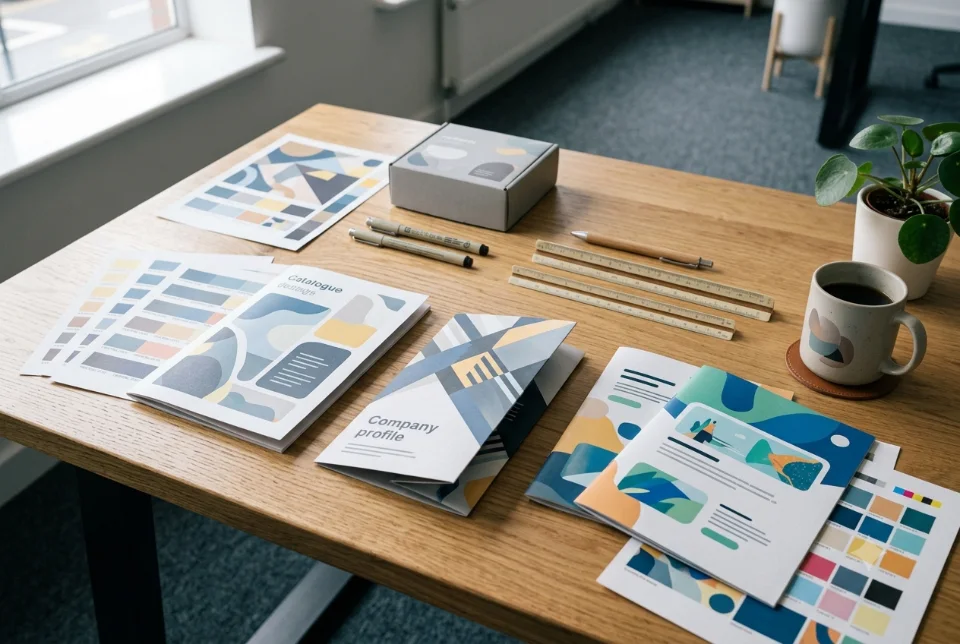
To brief a graphic designer well, share your business and audience, the goal, exact deliverables and sizes, references, must-have details, tone, final text and images, deadline, budget, and who approves the work. This guide explains how to brief a graphic designer step by step, with feedback tips, mistakes to avoid and a template you can copy.
Why learning how to brief a graphic designer saves time
Most design delays and disappointments start before any design is made. When a business sends one line on WhatsApp, such as "make a nice poster," the designer has to guess the audience, the size, the text and the style, and the first draft is usually wrong. A clear brief fixes this. It does not need to be long, only complete. Knowing how to brief a graphic designer is a small skill that pays back on every poster, brochure and social post you order afterwards.
A brief also protects you. When goals, deliverables, deadline and revision rounds are written down, both sides know what "done" means. Feedback becomes specific instead of emotional, and the work finishes in fewer rounds. This holds whether you hire a freelancer, a studio or a colleague who knows design software.
How to brief a graphic designer: the 12 things to include
Use this list every time. You can paste it into an email, a Google Doc or a WhatsApp message and fill in the blanks. Each item is explained in the sections that follow, with Indian examples such as GST numbers, UPI QR codes and regional-language text.
- Business: what you sell, where, and what makes you different.
- Audience: who will see this design.
- Goal: what the design should achieve.
- Deliverables and sizes: exactly what you need.
- References: examples you like and dislike.
- Must-haves: logo, legal lines, phone number, QR code.
- Tone: the feeling you want.
- Text: final wording, or who writes it.
- Images: photos you provide or need sourced.
- Deadline: the date you need final files.
- Budget: a range or a ceiling.
- Approval and revisions: who signs off and how many rounds.
Start with business, audience and goal
The first step in how to brief a graphic designer is context. Begin with two or three lines on your business: what you offer, your city or service area and your price level. A designer working for a premium jewellery shop makes different choices from one working for a discount electronics store, even if both ask for "a festive offer post."
Then describe the audience. Age group, location, language and where they will see the design all matter. A flyer for college students in Pune handed out at a fest is not the same as a brochure for company buyers read on a laptop.
Finally, state one clear goal. Examples: get walk-ins for an opening weekend, collect WhatsApp enquiries, announce a new branch, or help a distributor choose a product. One goal per design gives the designer something to build the layout around. If you have several goals, make separate designs or rank them, so the main message is not buried under five secondary ones.
Want this done for you? Ragnar Studios handles Graphic Design. See how it works or get a free quote.
Deliverables and sizes: be exact
List every item and its size. "Social media pack" can mean three posts or thirty. Write "3 Instagram posts at 1080 x 1080 and 3 stories at 1080 x 1920" instead. For print, give the finished size, such as A5 flyer or 3.5 x 2 inch visiting card, and the quantity you plan to print.
Mention where the design will appear: Instagram, WhatsApp status, a shop flex, a brochure for a trade show or a Google Business Profile. Each place has different size and safe-area rules, and a good designer will adjust the layout accordingly. If you are unsure of the right size, say so and ask for suggestions. When you brief a graphic designer for print, also mention the paper type or the printer you plan to use. This is far better than guessing a size and redoing the work.
References, tone and what you dislike
Send three to five examples of designs you like, with a line on what you like in each: the colours, the spacing, the photo style or the fonts. They can be from competitors or from unrelated businesses. Examples work better than adjectives, because "modern" means different things to different people.
Also share what you dislike. If you hate red, find clipart childish or dislike crowded layouts, say it early. It narrows the options quickly.
When you brief a graphic designer on style, references do most of the work. Describe tone in a few words, such as friendly and bright, calm and premium, or bold and festive. If you already have a style guide, attach it. If you are building one, our brand guidelines design service can document your colours, fonts and rules so every future brief starts from a shared base.
Must-haves, text and images
Another part of how to brief a graphic designer is listing every detail that must appear. Write down everything: logo, phone number, address, website, GST number if needed, licence or FSSAI number for food, social handles, a QR code for UPI payment, and any legal lines. Missing details discovered late cause avoidable revisions.
Provide the final text, in the language it will be printed. If you need Hindi or another regional language, say so and share the exact wording, because a designer should not be rewriting your copy by accident. If you need copywriting, mention it separately so it is planned and quoted.
Share photos in the highest quality you have. Screenshots from WhatsApp are usually too small for print. If you need stock images, say so, and clarify who pays for licences. Send the logo as a vector file if you have one, such as SVG, AI or PDF.
Deadline, budget and who approves
When you brief a graphic designer, give a real deadline and explain why: a festival date, a print press booking, or an event. Working back from that date helps the designer plan feedback rounds. Mark the difference between a preferred date and a hard one, since rush work may cost extra.
Share a budget range, even a rough one. It lets a designer suggest what is realistic, whether that means fewer variants, a simpler layout or a phased plan. Hiding the budget usually wastes time on quotes that do not fit.
Name one person who approves the final design. When the owner, a partner, a cousin and a manager all give separate opinions, rounds multiply. Collect internal feedback first, then send one combined message. Also agree how many revision rounds are included and what counts as a new request.
How to give feedback that gets results
Feedback is the second half of how to brief a graphic designer, because the brief only starts the job. Good feedback is specific, grouped and tied to the goal. Instead of "make it pop," say "the offer is hard to read from a distance, please make it larger and use a darker background." Point to the exact place on the design, and number your comments.
- Give all comments in one message per round, not as separate scattered notes.
- Say what you want to keep, so it does not change by accident.
- Explain the reason behind a request, and let the designer propose the fix.
- Do not change the brief mid-way. New direction means a new round or a new quote.
- Separate facts (a wrong phone number) from taste (a different shade of green).
Respond within a day or two when you can, and say clearly when a round is final. Long silences slow projects more than anything else.
Common brief mistakes to avoid
These problems appear again and again when people try to brief a graphic designer in a hurry, and each is easy to fix.
- One-line briefs with no goal, size or audience.
- Sending text in pieces over several days.
- Low-quality logos and photos copied from social media.
- Asking for "something different" without references.
- No decision maker, so approvals loop.
- Adding extra deliverables after the quote is agreed.
- Forgetting print details such as bleed and quantity.
- Leaving the deadline until the last moment.
If you are not sure about print preparation, read our print file preparation guide before you brief.
File formats to ask for
A good habit when you brief a graphic designer is to ask for final files at the start, so the right versions are planned. A sensible set for most small businesses is:
- PDF (print-ready): for printers, with bleed and crop marks if they ask for them.
- PNG: for web and social, with transparent background for logos.
- JPG: for photos and quick sharing on WhatsApp.
- SVG or AI/EPS: vector files for logos and icons that must scale to any size.
- Source files (PSD, AI, Figma, Canva): only if you plan to edit later; agree this in writing.
Also ask for the fonts used or their names, so future edits stay consistent. If a printer has special requirements, share them with the designer before work starts.
A fill-in design brief template
Copy this template and fill it in before you contact a designer. It is the simplest way of learning how to brief a graphic designer without missing anything. If you can answer each line, you already know how to brief a graphic designer well.
- Business name, city and what we sell:
- Who will see this (audience, language):
- Main goal of this design:
- Items needed, sizes and quantity:
- Where it will be used (print, Instagram, WhatsApp, web):
- Three references and what I like in each:
- Things I dislike or want to avoid:
- Tone in three words:
- Must-have details (logo, phone, address, QR, legal lines):
- Text: attached or needs writing:
- Images: attached or needed:
- Final files needed (PDF, PNG, SVG, source):
- Deadline and why:
- Budget range:
- Approver and revision rounds:
Using the brief with a studio or freelancer
The last step is to share the brief in writing, even if the first conversation happens on a call. After the call, send a short summary of what you agreed. The way you brief a graphic designer for the first job becomes the pattern for later ones. For ongoing work, keep the brief, logo files and feedback in one shared folder so nothing is lost.
Pricing for design depends on scope, number of deliverables, design depth and revisions, so a complete brief helps you receive a realistic quote. If you need a team for posts, brochures or branding, you can explore our graphic design services and send your requirements for a custom quote. For social media material, our social media creative design page explains how recurring posts are handled.
Frequently asked questions
How long should a design brief be?
One page is usually enough. Aim for clear answers to the twelve points: business, audience, goal, deliverables, references, must-haves, tone, text, images, deadline, budget and approval. Longer is fine if you have a lot of detail, but clarity matters more than length. A short, complete brief beats a long, vague one.
How to brief a graphic designer on WhatsApp?
Yes, many Indian businesses do. Send one organised message using a template, not scattered voice notes. Attach logo files, photos and references in a folder or as documents, because WhatsApp compresses images. Ask the designer to confirm the brief in writing so both sides agree on scope.
What if I do not know what style I want?
Collect examples. Save three to five designs you like from competitors, social media or print, and note what you like in each. Say which styles you dislike. A good designer can suggest directions from these, and you can choose between options instead of describing a style in words.
How many revision rounds should I ask for?
Two or three rounds is common, but agree the number before work starts. A complete brief and combined feedback usually reduce the rounds needed. Clarify what counts as a revision, such as changing colours or text, and what counts as new work, such as a new layout or extra sizes.
Should I give the text or let the designer write it?
Give the final text if you have it, since changing wording later causes delays. If you need writing help, say so in the brief so it can be planned and quoted. Designers are not always copywriters, so check who owns the wording, including Hindi or regional-language versions.
Which file formats should I ask a designer for?
Ask for a print-ready PDF for printers, PNG and JPG for digital use, and SVG or another vector file for logos. Ask for source files only if you plan to edit later. Agree this before work starts, because source files and extra formats may be priced separately.
How do I give feedback without upsetting the designer?
Be specific, polite and focused on the goal. Say what works, then list changes with reasons, for example that the offer is too small to read from a distance. Avoid vague words such as 'better' or 'fresh'. Send all comments together and keep the same decision maker throughout.
Do I need a brief if I am hiring a studio like Ragnar Studios?
A brief still helps a lot. We can ask questions and help you shape it, but you know your business best. Sharing your answers in the form or on WhatsApp helps us prepare a custom quote with clear deliverables, revision rounds and timeline.
Have a design project in mind? Send your requirements and we will share a custom quote: see our graphic design services.
Free quote
Tell us about your design project
Fill this short form and send it on WhatsApp. We reply with questions or a quote. Nothing is charged on the website.
- Takes about two minutes
- Goes straight to Ragnar Studios on WhatsApp
- Prefer email? Write to info@ragnarstudio.com
Ready to start How to brief a graphic designer: a practical guide with a te?
Tell us what you need. We reply on WhatsApp with questions, next steps and a quote.