
Home / Blog / Canva vs Professional Designer: How to Choose for Your Busin
Design & BrandingCanva vs Professional Designer: How to Choose for Your Business
Should you design it yourself in a tool or hire someone? This Canva vs professional designer guide compares cost, speed, quality and risk, task by task, so you spend where it matters.
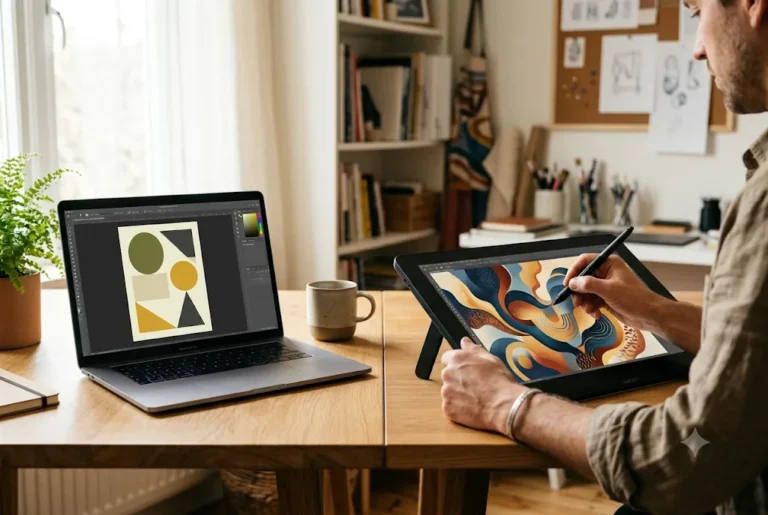
The Canva vs professional designer choice is simple once you split it by task: use a tool for quick, short-lived content, and use a designer for your identity, print, packaging, complex layouts and anything that must stay consistent for years. Many businesses combine both. Here is a practical comparison for Indian small businesses, with a checklist and a hybrid approach.
- Key takeaways: tools win on speed and low entry cost; designers win on originality, consistency and print accuracy; templates built by a designer give you both.
Related reading and services: graphic design company in India, graphic design company in Dehradun and graphic design service.
Key takeaways
- Use a tool for quick, short-lived content.
- Use a designer for identity, print, packaging, complex layouts and anything that must stay consistent for years.
- Popular templates are used by many businesses, so your page can look generic.
- A hybrid approach works well: hire a designer for core assets once, then reuse them in a tool.
- Share a clear brief with your customers, offer and examples to avoid wasted revisions.
The short answer: it depends on the job
Canva and a professional designer are not rivals so much as tools for different jobs. A tool is excellent for quick, simple, short-lived pieces. A designer is better when the work must be distinctive, consistent, technically correct for print or part of your long-term brand. The real question is which approach fits each task, your budget and your time.
Many Indian businesses use both: a designer sets up the identity and core templates once, and the team then makes everyday posts from those templates. This guide helps you decide, task by task, without hype for either side. Our guide to AI in Graphic Design: Where It Helps, Where It Fails and What Still Needs a Designer covers this in more depth.
What Canva-style tools do well
Online design tools give you ready layouts, stock elements, drag-and-drop editing and quick exports. Their strengths are real.
- Speed: a festival greeting or an announcement in minutes.
- Low starting cost: there is a free tier and paid plans, so you can begin without a project fee.
- Easy for teams: anyone can edit a shared template.
- Many formats: posts, stories, simple presentations, basic flyers and resumes.
- Quick changes: update a price or date yourself without waiting.
For a new shop posting daily offers, that flexibility is genuinely useful.
Where templates and tools fall short
The same convenience creates limits. Popular templates are used by thousands of businesses, so your page can look like everyone else's. Without strong brand rules, fonts, colours and spacing drift from post to post. Complex jobs such as multi-page catalogues, packaging with dielines, a full logo system or print-ready files with correct bleed and colour can be hard to do reliably.
There are also licence details to check. Some elements, fonts or templates have usage rules, particularly for logos, trademarks or reselling a design, so read the terms of your plan before using them commercially. A tool does not know your market, so it cannot tell you what to say or what to leave out.
Want this done for you? Ragnar Studio's handles Graphic Design Services. See how it works or get a free quote.
What a professional designer adds
A designer brings more than software skill. They ask who your customer is, shape a message, build a visual system and prepare files that print or publish correctly. Typical added value includes:
- Original identity: a logo and style that belong only to you.
- Consistency: rules and templates that keep every touchpoint aligned.
- Technical care: bleed, colour modes, resolution, export formats and dielines.
- Strategy and hierarchy: what to emphasise so people act.
- Time saved: you focus on the business while the work is handled.
- Fixes and variations: adapting one design to many sizes and languages.
A simple decision checklist
Go through these questions for each project.
- Is it short-lived? A one-day offer post can come from a tool.
- Will it be printed in volume? Print needs technical accuracy, so lean towards a professional.
- Is it your identity? Logo and brand basics deserve proper design.
- Does it need to stand out in a crowded category? Original work helps.
- How many formats and languages? Many variations favour a system built by a designer.
- Who will update it? If your team edits often, ask for editable templates.
- What is the cost of a mistake? Packaging, brochures and investor material are costly to reprint or redo.
Canva vs professional designer, task by task
Here is a practical split that suits many small businesses.
- Logo and brand identity: professional. See logo design tips and the brand identity guide.
- Daily social posts: a tool using templates a designer prepared. Our social media creative design tips show how.
- Packaging and labels: professional, because of structure and print. Read the packaging design guide.
- Pitch deck: start with a tool if the story is early, and use a professional when you need polish. See pitch deck design tips.
- Brochure and catalogue: professional for print-ready layout.
- Quick internal slides or flyers: a tool is fine.
Cost and time: an honest comparison
A tool plan is cheap per month, but your time is not free. If you spend hours choosing templates, fixing alignment and exporting sizes, the true cost rises. A designer charges a project or monthly fee, and the price depends on scope, number of deliverables, revisions, complexity and timeline, so it is a custom quote and varies widely across India.
A fair way to compare: estimate the hours you would spend, the cost of reprints or lost enquiries from poor results, and how long the design will be used. A logo used for ten years is worth proper investment. A post used for one day is not.
The hybrid approach that works for many brands
A smart middle path is to hire a designer to create the core assets once: logo, colour palette, fonts, a set of social templates, a brochure or catalogue layout and a few reusable slides. Ask for editable files or a template pack your team can use in a tool, plus a one-page brand guide explaining how to use them.
Then your staff handle daily posts in minutes while the brand stays consistent. Review the system every few months and bring the designer back for new campaigns, festivals or print jobs.
How to brief a designer and avoid wasted revisions
If you decide to hire, a good brief saves everyone time. Share who your customers are, what you sell, three examples you like and one you dislike, where the design will be used, required sizes, text content, deadline and who approves. Ask what is included, how many revision rounds are covered and which files you receive at the end, such as editable source files, print-ready PDFs and web exports.
Agree on usage rights in writing. Also avoid asking several designers to work free on speculation, since good work needs a clear brief and fair terms.
Mistakes people make when choosing
- Using a free template for a logo and later discovering many others use something similar.
- Paying for custom design for a throwaway post.
- Choosing a designer only on the lowest quote, without checking deliverables.
- Not asking for editable files or font and colour details.
- Letting several people post with different fonts and colours.
- Ignoring print requirements until the job is at the printer.
Three real-world scenarios
A new home bakery needs a logo, a menu card and daily Instagram posts. The sensible plan is a designer for the logo and menu layout, then editable post templates the owner updates each morning. The logo and menu stay consistent, and the daily work stays fast.
A coaching institute prints a prospectus, banners and admission forms every year. Print accuracy, readable layouts and a consistent look across materials matter, so a professional layout with a reusable template is the safer path, with the staff editing only dates and fees in a tool.
A one-person consultant posts weekly tips and shares a simple company profile. A tool with a handful of well-chosen templates may be enough for posts, while a professionally designed profile PDF builds trust with larger clients. In all three cases the split follows the risk and lifespan of the work.
How to judge design quality yourself
You do not need to be a designer to see good work. Ask whether the main message is clear in two seconds, whether text is readable on a phone, whether spacing and alignment feel tidy, and whether the fonts and colours match the rest of your brand. Check that images are sharp, the logo is not stretched, and nothing important sits near the edge where it might be cut in print.
Compare your piece with two or three strong brands in a different industry, not your competitors, so you learn principles rather than copy looks. If a design looks like a template that a thousand others use, it may not set you apart. Show it to a few customers and ask what they understood first. Their answer is the real test.
When to move from DIY to a designer
Many brands begin with a tool and later upgrade. Common triggers are a growing team that posts inconsistently, a first print order, a shop or packaging launch, a rebrand, a larger client who expects polished material, or an investor meeting. Another sign is when design takes more of your week than your core work.
Upgrading does not mean throwing everything away. Bring your existing content, ask the designer to build a proper system around it, and keep using your tool with the new templates. A short audit of your current posts, documents and print pieces helps a designer show what to fix first and what can stay.
Final recommendation and summary
Use tools for speed and simple everyday content. Use a professional for identity, print, packaging, complex layouts and anything that will represent your brand for years. Combine both through templates when you want to save money without losing quality.
If you want a designer to set up your brand system and templates, see our graphic design services, and for logo work specifically our logo design services. Share your needs on WhatsApp and we will suggest what is worth doing yourself and what is better handled professionally. For a straight answer on Canva vs professional designer, send us a short WhatsApp message with your goal and budget.
Frequently asked questions
Is Canva good enough for a small business?
For simple, short-lived content such as offer posts, stories and quick flyers, yes. For a logo, packaging, print catalogues or a consistent brand system, a professional usually gives more original and reliable results, particularly when files must print correctly. Judge it task by task rather than all at once.
Can I make my logo in Canva?
You can, but check licence terms for elements and fonts, and remember that popular templates are widely used, so your mark may look similar to others. A logo is a long-term asset, so most businesses benefit from original professional work.
When should I hire a graphic designer?
Hire one when you are building or refreshing your brand, preparing print material, designing packaging, creating many campaign creatives, or when mistakes would be costly. Also consider one when design is taking too much of your own time. Also consider a designer when time is the bigger constraint than money.
How much does a graphic designer cost in India?
It varies widely with scope, deliverables, revisions and timeline, so treat it as a custom quote. Ask for a written list of what is included, such as formats, source files and revision rounds, to compare offers fairly. A narrow brief with clear deliverables keeps the price predictable.
Can a designer create templates I can edit myself?
Yes. Many designers deliver editable social templates, presentation layouts or brand kits, plus a short guide on fonts and colours. Ask for this when you brief them so your team can handle everyday posts while keeping the brand consistent. Ask for the source files so future edits stay easy.
Are Canva designs print-ready?
They can be, if you set the correct size, add bleed, use high resolution images, choose suitable colour settings and export a print PDF. Checks are needed, because screen colours can print differently. Ask your printer for their file requirements first.
Which is cheaper, DIY or a designer?
DIY has a lower cash cost but uses your time and can lead to inconsistency or reprints. A designer costs more upfront but can save time and mistakes. Compare based on how long the design will be used and the cost of errors.
Can I use both Canva and a designer?
Yes, and it is often the best option. Have a designer create the logo, brand rules and core templates, then let your team produce daily posts from those templates. Bring the designer back for campaigns, print jobs and periodic reviews. In the Canva vs professional designer decision, mixing both is often the practical answer.
Not sure what to design yourself and what to hand over? Our graphic design services team can set up your brand system and templates, and tell you honestly what is safe to do in-house.
Free quote
Tell us about your design project
Fill this short form and send it on WhatsApp. We reply with questions or a quote. Nothing is charged on the website.
- Takes about two minutes
- Goes straight to Ragnar Studio's on WhatsApp
- Prefer email? Write to info@ragnarstudio.com
Ready to start your project?
Tell us what you need. We reply on WhatsApp with questions, next steps and a quote.