
Home / IT & Design Blog / How to Create a Company Profile PDF That Clients Actually Re
Design & BrandingHow to Create a Company Profile PDF That Clients Actually Read
A company profile PDF is often the first thing a buyer, vendor or bank sees about you. Here is a clear page by page way to build one for your Indian business.
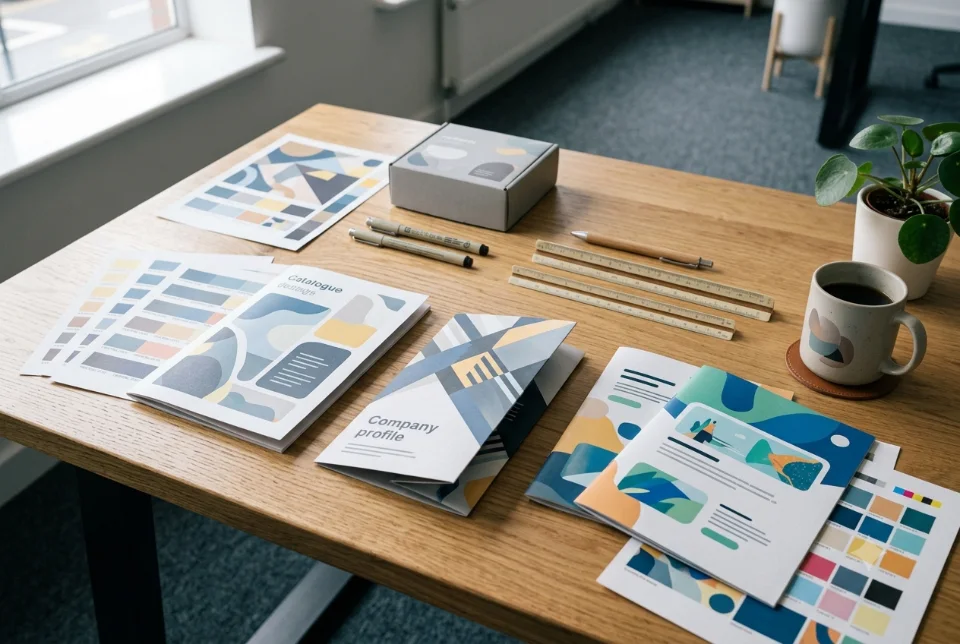
A company profile PDF is a short document, usually 6 to 14 pages, that explains who you are, what you offer, why customers can trust you and how to contact you. To create one, plan the story first, write each page in plain language, add real photos and proof, design it consistently, then export one light digital version and one print ready version. This guide walks through each step.
What a company profile PDF is for
Think of your company profile PDF as a salesperson that works when you are not in the room. You send it on WhatsApp after a first call, attach it to a tender or vendor registration email, hand it over at an exhibition, or share it when a bank, distributor or large buyer asks, "Can you send your details?"
It is different from your website. A website is explored at the visitor's pace and can be long. A company profile PDF is a focused, ordered summary that someone can forward to a colleague in one tap. That makes clarity more important than decoration. If a stranger cannot understand what you do in the first two pages, the rest will not be read.
Decide your audience and goal first
Before writing, answer two questions: who will open this, and what do you want them to do next? A manufacturer sending a profile to procurement teams needs capacity, certifications and process details. A design studio sending it to startups needs work samples and a simple way to start. A school or clinic may need facilities, staff strength and trust signals for parents or patients.
Write down the one action you want after reading, such as "call us", "request a quote" or "schedule a visit". Everything in the document should lead toward it. If you serve very different audiences, plan separate versions instead of cramming everything into one overloaded company profile PDF.
A page by page structure for your company profile PDF
Here is a reliable structure that suits most Indian small and mid size businesses. Adjust the order to fit your story, and remove pages that do not apply.
- Cover: Logo, company name, a one line description of what you do and your website or phone number. Keep it clean.
- About us: Who you are, when you started, where you operate and what you stand for, in a short readable paragraph.
- What we do: Your main services or products, grouped simply, with one or two lines each.
- Why choose us: Three to five specific strengths, such as process, quality checks, turnaround approach or after sales support.
- Products or portfolio: Real photos, projects or catalogue highlights with short captions.
- Clients and proof: Client logos or testimonials only if you have written permission to use them.
- Certifications and registrations: Only those you actually hold, such as GST registration, Udyam registration or industry certificates.
- Team or leadership: A short introduction of the key people with photos.
- Contact page: Address, phone, WhatsApp, email, website and a map or QR code.
Keep each page to one clear idea. A well planned company profile PDF feels easy because every page answers one question the reader already has.
What to write on each page
Good content is specific. Instead of "we provide quality service at affordable prices", say what you actually do: the type of customers you serve, the work you handle, how orders move from enquiry to delivery. Use short sentences and everyday words. Avoid claims you cannot prove and avoid copying text from other companies.
For the about page, include your origin story in a few lines, your location and the kind of customers you work with. For services, describe the customer's problem first and your solution second. For the proof page, use facts you can stand behind, for example the number of years you have operated if it is accurate, the cities you deliver to or named projects you may share. If you cannot verify a figure, leave it out.
Write a headline for each page that tells the story on its own, so a person skimming on a phone still understands the message. This approach also helps if you later reuse text for your website. Our guide to writing website content that converts uses the same plain, benefit first thinking.
Design basics that look professional
You do not need fancy effects. You need consistency and space. Follow these design rules and the document will look far more professional.
- Limit your fonts: Use one font for headings and one for body text. Make body text easy to read on a phone, roughly 11 to 12 points on an A4 page.
- Stick to your brand colours: Choose one main colour and one accent, and use them the same way on every page.
- Use white space: Crowded pages feel cheap. Leave margins and gaps so the eye can rest.
- Use real photos: Genuine images of your team, premises and work build more trust than generic stock pictures.
- Keep alignment tidy: Align text and images to a grid so pages feel orderly.
- Add icons sparingly: Simple icons help list services, but too many make pages noisy.
If your logo and colours are not settled yet, sort that out first. Our brand identity guide for small business explains how to set a consistent look before you design any document.
A quick test helps here. Show the draft to someone who does not know your business and ask them to explain, after two minutes, what you sell and how to reach you. If they cannot, simplify the wording before you spend time on design polish.
Page size, orientation and format
Most Indian businesses choose A4 portrait because it prints on standard office printers and reads well on a phone when scrolled. Landscape pages work well for presentation style profiles that are mostly viewed on a laptop or screen, but they are awkward to read on a phone in portrait mode. Pick one orientation and stay with it throughout.
Set a clear margin on all sides, especially if you plan to print, so no text is cut. Build the file at the size you will use rather than resizing later, which can distort images and layout. If you will print a bound brochure style version, ask your printer for their exact page size, bleed and binding requirements before final design.
File size for WhatsApp and email
A beautiful file that will not send is a wasted effort. Many email services limit attachments to about 20 to 25 MB, and WhatsApp documents have their own size limit that can change, so check the current limit in the app. In practice, a lean file is also faster to open on a weak mobile connection, which matters a lot when your reader is travelling.
To keep your company profile PDF light, compress photos before placing them, avoid unnecessarily huge images, and use the export option for screen or web quality instead of print quality. Many designers aim for a few MB for the digital version, but this is a rough guide, not a rule. After export, open the file on your own phone, scroll through every page and check that text is sharp and images load quickly. Name the file clearly, such as YourCompany-Company-Profile.pdf, rather than "final2 new.pdf".
Print and digital versions
Treat print and digital as two outputs of the same design. The digital version is compressed, may include clickable links for your website, WhatsApp number and email, and is optimised for screens. The print version uses high resolution images, proper margins and, when a printer asks for it, bleed and crop marks.
Colours can look different on screen and on paper, so ask your printer for a proof or a small test run before printing hundreds of copies. Keep editable source files and the final PDFs together in one folder so you can update the profile when you add a service, change an address or win a notable project. A profile with old information can do more harm than having none, so review it at least once or twice a year.
Also think about language. If your buyers are mostly in one region, a Hindi or regional language edition of the company profile PDF can feel far more welcoming than English alone. Keep the layout identical so both versions stay easy to maintain and update together.
Common mistakes to avoid
Most weak profiles share the same problems. Avoid these and you are ahead of many competitors.
- Too much text: Long paragraphs on every page lose readers fast.
- Vague claims: Phrases like "leading company" with nothing to support them reduce trust.
- Low quality images: Blurry logos or stretched photos look careless.
- Missing contact details: Always include a phone, WhatsApp and email people can use immediately.
- Using logos without permission: Get consent before showing client names or brand marks.
- Outdated information: Old addresses, numbers or team members confuse buyers.
A short, honest company profile PDF usually works better than a long, inflated one.
DIY or professional design
If you are a very small business with a simple story, you can build a basic profile yourself using a free or low cost design tool and the structure above. If the document will be used for tenders, large clients, investors or exhibitions, a professional designer can make it more consistent and polished and can prepare print files correctly.
Cost depends on page count, how much copywriting and photography is needed, design depth, revisions and whether print files are required. Ragnar Studios handles this as company profile design with a custom quote after we understand your requirements. If you also need a product or service catalogue, see our PDF brochure and catalogue design service, and read our tips on brochure design for Indian businesses for more ideas.
Frequently asked questions
What should a company profile PDF include?
A good company profile PDF includes a cover, an about section, your services or products, reasons to choose you, portfolio or product photos, proof such as testimonials or registrations you actually hold, team details and a clear contact page. Keep each page focused on one idea and add only facts you can stand behind.
How many pages should a company profile have?
Most small and mid size businesses do well with 6 to 14 pages. Fewer pages suit a simple service business, while manufacturers or institutions may need more for products, facilities and certifications. Length matters less than clarity, so cut anything that does not help the reader decide or contact you.
What size should a company profile PDF be for WhatsApp?
Keep the file as light as you can while text and images stay sharp. Many designers aim for a few MB for the digital version, but this is only a rough guide. WhatsApp and email limits can change, so check the current limits and test by sending the file to your own phone.
Which tool can I use to make a company profile?
You can use common design or presentation tools to build the pages and then export to PDF, or hire a designer for a polished result. Choose a tool you can edit later. What matters most is a clear structure, readable fonts, good photos and a correctly exported file.
Should I make separate print and digital versions?
Yes, if you plan to print. The digital file should be compressed and can have clickable links, while the print file needs high resolution images, margins and sometimes bleed as your printer requests. Both come from the same design, so keep the source files safe for future updates.
Can I use client logos in my company profile?
Only with permission. Showing a client's name or logo without consent can cause trouble and weaken trust. Ask in writing, keep the approval, and remove the logo if the client later asks. If you have no permission yet, use anonymous descriptions of the work instead.
How often should I update my company profile?
Review it at least once or twice a year, and update sooner whenever your address, phone number, services, team or registrations change. Old information confuses buyers and can look careless. Keep the editable files organised so a quick update does not require starting over.
How much does it cost to design a company profile?
It depends on page count, copywriting, photography, design depth, revisions and print file needs, so there is no single price. Ragnar Studios gives a custom quote after understanding your requirements. Market rates vary widely, so compare scope carefully, not just the headline amount.
Need a polished document without the design headache? Ragnar Studios can plan, design and export your company profile PDF in digital and print ready versions, with a custom quote after we understand your business.
Free quote
Tell us about your company profile
Fill this short form and send it on WhatsApp. We reply with questions or a quote. Nothing is charged on the website.
- Takes about two minutes
- Goes straight to Ragnar Studios on WhatsApp
- Prefer email? Write to info@ragnarstudio.com
Services that help with this.
Company Profile Design
We turn your business details into a clear, branded company profile as a print-ready PDF or a presentation deck.
Explore →Brochure & Catalogue Design
Ragnar Studios designs brochures, catalogues, price lists and flyers as print-ready files and as light PDFs for WhatsApp.
Explore →Brand Identity Design
Ragnar Studios designs the full system around your logo: colours, fonts, imagery rules, stationery and a social media kit.
Explore →More from the IT & design blog
Ready to start How to Create a Company Profile PDF That Clients Actually Re?
Tell us what you need. We reply on WhatsApp with questions, next steps and a quote.