
Home / IT & Design Blog / Custom Portal vs Ready-Made Software: A Build or Buy Guide
Apps & SoftwareCustom Portal vs Ready-Made Software: A Build or Buy Guide
Should you pay a monthly fee for a ready-made tool or build a portal around your own process? This guide gives Indian business owners a clear way to decide, including the costs people forget.
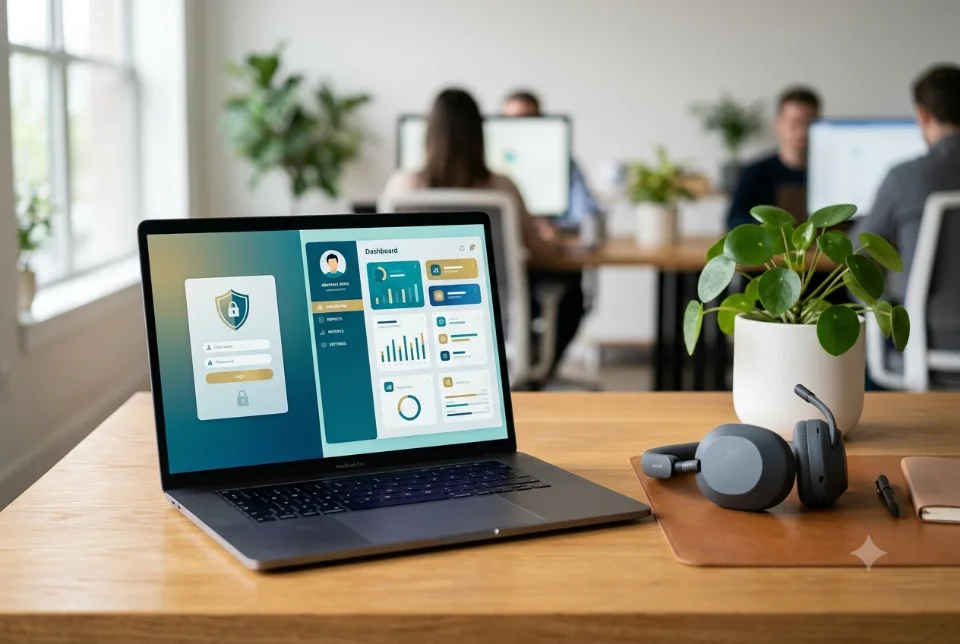
The custom portal vs ready-made software decision depends on how unusual your process is. If standard features cover most of what you do, ready-made software is usually faster and cheaper to start. If your workflow, user roles or integrations are specific to your business, a custom portal can fit better, but it needs more investment and ongoing care. Compare the full cost over several years, not just the first bill.
What we mean by a portal and ready-made software
A portal is a secure website where specific groups of people log in to see their own information and do their own tasks. Examples include a customer portal for orders and invoices, a vendor portal for purchase orders, a student or parent portal, a dealer portal or a staff portal for requests and approvals.
Ready-made software is a product built for many customers, often sold as a monthly or yearly subscription. You configure it, add your data and use it largely as designed. A custom portal is built around your process, so screens, roles, rules and reports follow how your team really works. If you want to explore the build side, see our custom portal development service.
When ready-made software is the better choice
Ready-made tools are a strong choice when your need is common. Accounting, basic CRM, helpdesk, appointment booking, HR and attendance tools exist in many versions, and the popular ones have been refined by many users over years. You can start within days, and the vendor handles updates and servers.
It also suits businesses still learning their process. If you are not sure how your workflow will look in a year, a subscription lets you test without a large upfront spend. For many small Indian firms, buying first is the sensible move, and nothing stops you from building later. The custom portal vs ready-made software question is not about pride; it is about fit and timing.
When a custom portal is the better choice
A custom portal starts to make sense when your process is the thing that sets you apart, or when forcing it into a standard tool creates daily workarounds. Typical signs are several user types with different permissions, approval chains that vary by customer, pricing rules a standard tool cannot express, or reports your managers keep rebuilding in spreadsheets.
It also helps when you must connect many systems, such as your accounts package, GST invoicing, WhatsApp notifications, a payment gateway like Razorpay and your own database. A custom build can connect all of them in one place and show your customers a branded experience on your own domain.
A simple framework for custom portal vs ready-made software
Work through these questions in order. Your answers will usually point clearly one way:
- List your must-have features. Write ten things the system must do. If a ready-made product covers eight or nine without hacks, buy it.
- Test your unusual rules. Mark which rules are truly specific to you, such as special pricing, approval steps or compliance records. Many unusual rules favour a custom portal.
- Count your users and roles. Per-user subscription pricing grows with headcount. A custom build has a higher start but no per-seat fee in the same way.
- Check integrations. Confirm the ready-made product connects to your existing tools. If key connections are missing or paid add-ons, note the extra cost.
- Ask about data ownership and export. Can you download all your data in a usable format whenever you want?
- Estimate three to five years of cost. Add subscriptions, add-ons, training, maintenance and workarounds on both sides.
Run this custom portal vs ready-made software exercise honestly with your team. It takes an hour and can save lakhs in the wrong choice.
Hidden costs of ready-made software
The listed price rarely tells the whole story. Per-user fees rise as your team grows. Useful features sit behind higher plans. Extra modules, API access, storage and support often cost more. If the vendor is outside India, billing may be in dollars, so exchange rate changes affect your cost.
There is also the cost of adapting. When a tool does not match your process, staff keep side spreadsheets, re-enter data or change how they work to suit the software. That time is real money even if it never shows on an invoice. Finally, you depend on the vendor's roadmap: if they change pricing, drop a feature or shut down, you must adapt.
Hidden costs of a custom portal
A custom build has its own surprises, and honest planning avoids them. The first is scope growth: every "small addition" during the build adds time and cost, so freeze a clear first version. The second is your own time, since someone must explain the process, review designs and test features.
Then come running costs: hosting, domain, backups, security updates, payment gateway and SMS or WhatsApp charges, plus developer time for fixes and new features. A portal is a product that needs maintenance, not a one-time purchase. As a rough guide only, typical market ranges for custom portals in India start from a few lakh rupees and rise with scope. Treat that as an indicative market range, not a Ragnar quote, because we give a custom quote after understanding requirements.
Integration and data ownership
Two topics decide how painful a choice feels in year three: integration and data. With ready-made software, check what connects out of the box, what needs a paid connector and what is impossible. Ask how data is exported and in which format.
With a custom portal, you decide the database structure, and the code and data can sit on servers you control. Get this in writing: who owns the source code, where the data is hosted, who holds the admin credentials and what handover you receive. Under India's data protection rules your obligations around customer data apply either way, so ask a qualified adviser about compliance for your sector. In the custom portal vs ready-made software debate, ownership and exit options deserve as much weight as price.
Examples of custom portal vs ready-made software in practice
A distributor with dozens of retailers may want each retailer to log in, see live stock, place orders and download GST invoices. Off-the-shelf ordering tools exist, but if your discounts vary by dealer and credit limits decide who can order, a custom portal can encode those rules directly.
A school or coaching institute may be happy with ready-made fee and attendance software for years. A training company with franchise centres, certificates, batch approvals and parent logins may outgrow it. A clinic with a standard appointment need should usually buy; a diagnostics business with unusual report flows and partner labs may consider building. These are only illustrations, since every case depends on the actual process. Use them to test your own situation, and remember that a custom portal vs ready-made software verdict for one firm may be wrong for its neighbour.
Security, support and maintenance
Both routes need someone responsible for security. With a subscription, the vendor patches servers and you manage user access and strong passwords. With a custom portal, you or your developer must plan updates, backups, monitoring and fixes, ideally under a written support arrangement with clear response times.
Do not forget people. Whoever uses the system needs short training, and someone internal should own it, deciding who gets access and when to remove it. Neither a tool nor a build works well if nobody owns it. A modest monthly support plan is often cheaper than an emergency repair after something breaks.
The middle path: buy the base, build the gap
You do not have to choose one extreme. Many businesses use ready-made software for standard needs such as accounting or email, and build a custom portal only for the part that is specific to them, such as a dealer ordering screen or a customer status tracker. The portal then connects to the standard tool through its available integrations.
This keeps your build small and focused, lowers risk and uses each approach where it is strongest. If the idea is new and untested, begin with a minimal first version; our guide on building an MVP shows how to keep the first release lean.
Questions to ask any vendor or developer
Whichever route you take, ask direct questions and note the answers:
- Who owns the data and code? You should be able to export everything and know where it is stored.
- What happens if we leave? Ask about exit steps, export formats and any notice period.
- Who handles support? Clarify response expectations, channels such as WhatsApp or email, and charges after the free support period.
- How are updates and security handled? Find out who patches issues and how often.
- What is not included? Ask for a written list of extras, from add-on modules to third-party fees.
Clear answers are a good sign. Vague answers deserve a second look, whether the proposal is a subscription or a build.
How Ragnar Studios can help
Ragnar Studios is a full-service digital agency in India and we have built 2,000+ websites and Shopify stores, along with web apps, portals and custom platforms. Share your process, user roles and current tools on WhatsApp or email, and we can talk through whether a subscription, a custom portal or a mix fits, then share a quote after understanding your requirements.
You can also read our comparison of a web app and a website if you are still deciding what kind of product you need, or review our custom software development page for larger systems. Whatever you pick, write down the reasons for your choice and decide with a three to five year view, since the custom portal vs ready-made software choice is rarely about the first month.
Frequently asked questions
In a custom portal vs ready-made software comparison, which costs more?
It depends on the time frame. A custom portal has a higher upfront cost, while ready-made tools charge recurring fees that grow with users and add-ons. Compare three to five years of total cost, including maintenance and workarounds. Ragnar Studios gives a custom quote after understanding your requirements, so ask for one before deciding.
When should a small business choose ready-made software?
Choose it when your needs are common, such as accounting, basic CRM or booking, and when you want to start quickly with low upfront spend. It is also sensible while your process is still changing. You can always build a custom portal later for the parts that do not fit.
What is a customer portal?
A customer portal is a secure online area where your customers log in to view their orders, invoices, documents or support tickets, and sometimes place requests. It saves phone calls and WhatsApp follow-ups because customers can check status themselves. It can be a ready-made product or built to match your process.
Who owns the data in a custom portal?
Ownership should be agreed in writing before the project starts. Normally the business owns its data, and the contract should state who holds source code, hosting accounts and admin credentials. With ready-made software, check export options and terms, because data sits on the vendor's systems.
How long does it take to build a custom portal?
It depends on scope: number of user roles, screens, integrations and revisions. A focused first version takes less time than a full platform. No honest developer can promise a fixed date before reading your requirements, so ask for a phased plan with a smaller first release.
Can ready-made software be customised instead of building a custom portal?
Often partly. Many products allow custom fields, workflows, templates and integrations, which may be enough. Deep changes to logic or user roles are usually limited or cost extra. Ask the vendor exactly what can be changed, what needs a paid plan and what is impossible before you commit.
What are the risks of choosing a custom portal?
Common risks are scope growth, delays from unclear requirements, dependence on one developer and ongoing maintenance cost. You reduce them with a written scope, a smaller first release, clear ownership of code and data, and a support plan after launch. A good brief matters more than any technology choice.
Can I combine a custom portal with ready-made software?
Yes, this is a popular approach. Keep standard needs such as accounting in a ready-made tool and build a custom portal for the specific part, like a dealer ordering screen. The two connect through available integrations, which keeps the build smaller and reduces risk.
Weighing a custom portal vs ready-made software for your business? Tell us how your team works today and we will suggest a practical route through our custom portal development service.
Free quote
Tell us about your portal
Fill this short form and send it on WhatsApp. We reply with questions or a quote. Nothing is charged on the website.
- Takes about two minutes
- Goes straight to Ragnar Studios on WhatsApp
- Prefer email? Write to info@ragnarstudio.com
Services that help with this.
Custom Portals
Ragnar Studios builds secure login-based portals for customers, vendors, staff, students and dealers.
Explore →Web App Development
Ragnar Studios designs and builds dashboards, SaaS products, customer portals and internal tools that run in the browser on any…
Explore →Custom Software
Ragnar Studios builds billing, inventory, CRM-style and automation software for Indian businesses that have outgrown…
Explore →More from the IT & design blog
Ready to start Custom Portal vs Ready-Made Software: A Build or Buy Guide?
Tell us what you need. We reply on WhatsApp with questions, next steps and a quote.