
Home / Gift guides / Photo Book From Phone Photos
Photo Book TipsHow to Make a Photo Book From Phone Photos and WhatsApp Pictures
You can make a photo book from phone photos, but only if the files you hand over are the originals and not the shrunken copies that WhatsApp creates. This guide shows how to find the best version of every picture, sort them and send them to a designer.
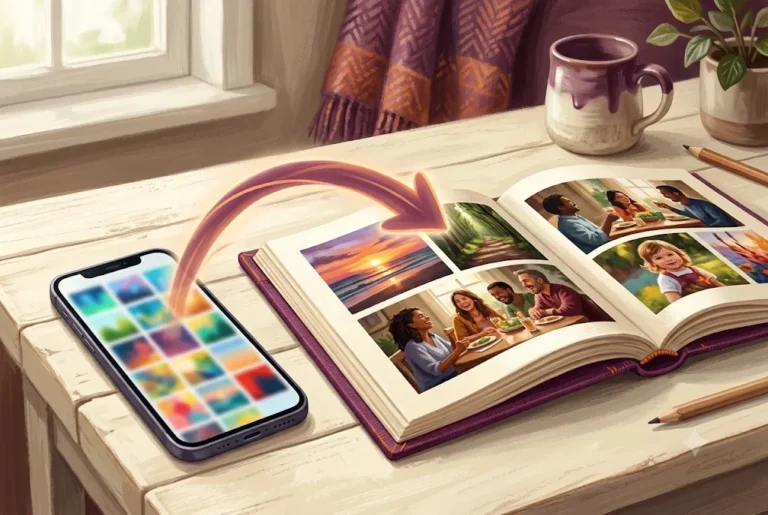
Most of our family memories now live on a phone. Birthdays, trips, a baby's first steps and a parent's smile at a function are all sitting in a gallery with thousands of other pictures, and many of the best ones arrived through WhatsApp from a cousin or an uncle. It is natural to want a printed book out of all that, and a personalised photo book is a lovely way to do it.
There is one catch. A picture that looks sharp on a small screen can look soft or blocky on a printed page. The reason is usually not the camera. It is the route the file took before it reached the designer. A photo book from phone photos turns out well when you choose the right copy of each picture, and that is mostly a matter of knowing where the originals hide.
This guide walks through the whole job in order: why WhatsApp shrinks pictures, how to get the original files from Google Photos, an iPhone or an Android phone, how to check quality, how to pick and sort, what to do with screenshots and videos, and how to send everything to a designer. If you are still deciding how many pictures you need, read how many photos in a photo book first.
Why a photo book from phone photos works so well
Modern phone cameras capture far more detail than a book page needs. A typical recent phone photo is many millions of pixels, which is plenty for a full page in most books. So the camera is rarely the problem. The trouble starts when the picture is edited, forwarded, screenshotted or compressed on the way.
Think of each picture as having a family tree. The original sits on the phone that took it. Every time it is sent through a chat app, saved from a status, or downloaded from a social feed, a smaller child copy is made. A good book uses the oldest, biggest member of that family for every page.
That is the whole idea of this guide. Find the original, keep it untouched, and let the designer do the layout.
Why WhatsApp shrinks your pictures
WhatsApp compresses photos by default so that chats load fast and use less mobile data. Reports on the feature say a normal chat image is limited to about 1600 x 1052 pixels, and that the HD option, added in 2023, raises that to about 4096 x 2692 pixels but still compresses the file (see the GSMArena report on WhatsApp HD photos). Sending a picture as a document is the way to avoid compression, because the file arrives at the size it left with.
For chatting this is perfect. For print it is a problem. A page that is a few inches wide needs far more pixels than a thumbnail in a chat bubble offers, and the missing detail cannot be added back later.
| How the picture travelled | What you get | Good for a photo book? |
|---|---|---|
| Normal WhatsApp photo | Compressed, reduced size | Only as a last resort |
| WhatsApp HD photo | Larger, still compressed | Usable for small pictures |
| WhatsApp as Document | File sent as it is | Yes |
| Cable, Drive or cloud link | Original file | Yes, best |
| Screenshot of a photo | Screen sized copy | No |
Our advice: treat every picture that came to you through a chat as a stand-in. If the sender still has the original, ask for it.
Where the original files are hiding
The original usually lives in one of four places. Check them in this order.
- The phone that took it. Open the gallery or Photos app on the camera phone. Anything taken on that phone is stored at full size unless a setting reduced it.
- Google Photos or iCloud. If backup was on, a full copy is in the cloud. Open the picture and download it rather than taking a screenshot.
- A laptop or old backup. Many families copied trip photos to a computer or a pen drive years ago. Those folders are often better than the phone.
- The person who took it. For pictures received on WhatsApp, the sender holds the original. Ask them to share a Drive link or to send the pictures as documents.
Make a folder on your phone or computer called "Photo book" and copy the originals into it as you find them. Having everything in one place makes sorting much calmer later.
Get originals from Google Photos
Open the picture in the Google Photos app or website and use the download option. According to guides on the subject, a single download gives you the original file, while a full export of many pictures is done through Google Takeout. Choose only Google Photos and keep the original size.
- For a few dozen pictures, download them in batches from an album you create for the book.
- For a whole library, use Takeout, but expect large files and a wait. Keep the browser open and use a stable connection.
- If a download looks small, check whether the picture was backed up at reduced quality years ago. Older uploads can be smaller than the camera file.
Tip: create one shared album called "Book pictures" and ask relatives to add to it. It is easier than chasing people on chat, and it keeps the files in one place. You can still send the final selection to the designer afterwards.
Getting originals from an iPhone or Android phone
On an iPhone, pictures may be stored in the cloud with a smaller copy on the phone if storage saving is on. Open Settings, Photos, and check whether "Download and Keep Originals" is chosen. Then wait for the originals to come down before you copy anything. On Android, open the gallery and look at the file details; the size in megabytes tells you a lot. A picture of a few hundred kilobytes is probably a chat copy, while one of two to eight megabytes is often an original. Before you start, back up your phone photos first.
The most reliable way to move many files is a cable to a computer, a pen drive that works with your phone, or a Drive folder. If you only have the phone, here is a simple route to share pictures without loss:
- In WhatsApp, tap the plus or paperclip icon, choose Document, then pick the pictures from the gallery or files. The pictures are sent as files.
- Send them in groups of about 20 so nothing fails halfway.
- Name the chat message "Original photos, part 1" so nobody mixes them up with the earlier compressed copies.
If you only send once, send as documents. A book is better built from 60 careful originals than from 300 mixed copies.
Check quality before you send
You do not need to be technical, but a quick check saves disappointment. Printers usually aim for about 300 pixels per inch at the printed size. One printing help page lists 2 megapixels as a minimum for its books and 4 to 5 megapixels for a picture printed full page (see Presto Photo on resolution). Another printer puts its floor at 150 ppi, below which pictures look soft. Each printer sets its own limit, so treat these as rough guides. For the basics of print preparation, see our print file preparation guide.
Here is an easy way to read the numbers. Multiply the printed width and height in inches by 300 to find the ideal pixel size. A picture shown across a full A4 page (about 8.3 x 11.7 inches) would ideally be around 2500 x 3500 pixels.
| What you see | What it likely means | What to do |
|---|---|---|
| File under 300 KB | Chat or social copy | Ask for the original |
| Width under 1200 pixels | Small, fine for tiny frames | Use small on the page |
| 2 to 8 MB, width 3000 or more | Likely an original | Great for full pages |
| Blurry when zoomed in | Focus or motion problem | Use only if the memory is precious |
A low quality picture can still go in the book if it matters. A designer can place it small, or give it a spot beside a sharper one. Do not drop a once in a lifetime moment just because it is a little soft. Printing cannot add detail, but a smaller placement hides the problem. Our guide to choosing photos for a memory book explains how to weigh emotion against sharpness.
Not sure which pictures are good enough? Share them on WhatsApp and the studio designs the pages and tells you what works. See personalised photo books.
Select and sort your photo book from phone photos
Now the fun part. Start by deleting nothing. Instead, copy your favourites into the "Photo book" folder in three passes.
- Big sweep. Go through each month or event and star everything you love. Do not worry about the number yet.
- Cut duplicates. Phones take bursts. Keep the one where eyes are open, the face is clear and the light is good.
- Shape the story. Group pictures by chapter: for example, "Before", "The big day", "After", or one chapter per month.
Name each file with the date and a few words, like 2026-03-14 Aarav first Holi. Sorting by name then puts the story in order, and the designer can see what each picture is.
For a book of about 40 pages, many people choose around 60 to 100 pictures, with a few full-page favourites and several pages that hold three or four smaller shots. The exact number depends on your layout, so ask the designer before cutting too hard. For ideas on how to arrange pages, read our photo book layout and design tips.
Screenshots, videos and other tricky files
Phones hold more than clean photos. Here is how to handle the awkward ones.
- Screenshots of chats. A cute message from a grandparent can make a wonderful page. Keep the screenshot, but ask the sender's permission and hide private details. Use it as a small feature, not a full page.
- Screenshots of photos. These are low quality copies of something else. Find the original instead.
- Videos. A book cannot play video. Pick the best moment and take a still from it, or ask the designer. Frames from video are lower in quality than photos, so use them small.
- Live photos and bursts. Choose the best single frame and export it as a photo.
- HEIC files. iPhones may save pictures in the HEIC format. Ask the studio if it can use them, or share them from the Photos app as the most compatible JPEG copies.
- Filters and heavy edits. Keep an unedited copy as well. A strong filter that looks nice on a screen can look harsh in print.
For a travel book especially, mix wide views with close details. Our travel photo book for India page shows how trips can be laid out, and the travel photo book ideas and captions post offers wording ideas.
Write down the details while you remember them
A photo book from phone photos has one great advantage over an old album: your phone already records the date and often the place. Use that. Next to each chapter, jot down who is in the picture, where it was and why it matters. A page with "Dadi teaching Aarav to make laddoo, Diwali 2025" is far warmer than a page with no words at all.
You do not have to write long text. A few lines per chapter in a notes app or a WhatsApp message to yourself is enough. If you want inspiration, see photo book caption ideas and what to write in a memory book. Writing in Hindi, English or a mix of both is fine; the studio supports both.
How to send your pictures to a designer
Here is a clear way to hand over your work so the designer needs few follow-up questions.
- Send the pictures as documents on WhatsApp, in batches, or share a Drive or Photos album link.
- Send a short brief: who the book is for, the occasion, the mood (funny, warm, elegant), and the language for the text.
- Mark the must-haves: the cover picture, two or three full-page favourites and any picture that must appear.
- Share captions as a plain text message or a note, in the order of the pictures.
- Approve the pages. Check names, dates and spellings carefully before printing.
At Ragnar Studio's, you send the photos on WhatsApp, the studio designs the pages, you approve them, and then the book is professionally printed. Photo books start from ₹799, and the team works in English and Hindi. Every book is A4. For paper and delivery details, ask the studio on WhatsApp at +91 92865 18510 before you order. You can read how the whole process works in how to make a photo book online in India.
Common mistakes when you make a photo book from phone photos
- Using the first copy you find. The WhatsApp version is often the smallest. Look for the original.
- Sending too late. Collecting files from relatives takes longer than you expect. Start weeks before an occasion. If it is a festival gift, see our Diwali photo book ideas for timing.
- Skipping permission. Ask before you print pictures of other people's children or private moments.
- Too many near-identical shots. Ten pictures of the same pose make a dull page. Pick the best two.
- Ignoring the cover. Choose a clear, bright picture with space around the subject; faces too close to the edge can be hard to place.
- Forgetting old prints. Photos taken before phones need scanning; read how to digitise old family photos to include them.
For a family gift, our family photo books page and family photo book ideas are good places to begin.
A one-page checklist before you send
- I have the original file for each important picture, not a forwarded copy.
- Files are in one folder, named with date and short title.
- I removed duplicates and kept the best frame of each moment.
- Screenshots are only used for chat messages I have permission to share.
- I picked a cover photo and two or three full-page favourites.
- I wrote captions with names, places and dates.
- I sent the pictures as documents or as a shared link.
- I know who will check the page proofs and by when.
Tick all eight and your book is ready for design. Browse more ideas in our gift guides if the book is meant as a present.
Frequently asked questions
Can I make a photo book from phone photos?
Yes. Modern phone pictures are usually sharp enough for print, provided you use the original files. Avoid chat copies and screenshots, and send the pictures to the designer as documents or as a shared album link.
Does WhatsApp reduce photo quality?
Yes. WhatsApp compresses normal photos to save data, and even its HD option is still compressed. Sending a picture as a document keeps the file as it is, so use that for any photo book from phone photos.
How do I send photos on WhatsApp without losing quality?
Tap the plus or paperclip icon, choose Document, and pick the pictures from your gallery. They arrive as files with no compression. Send them in groups of about 20 so uploads do not fail.
What resolution do I need for a photo book?
Printers usually aim for about 300 pixels per inch at print size, and some accept lower for small pictures. Rules differ by printer, so ask the studio. As a rough guide, an original from a recent phone is usually fine.
Can I use screenshots and videos in a photo book?
Chat screenshots can work as small features if the people agree. Video frames and screenshots of photos are lower quality, so use them small. Always look for the original photo first.
How many phone photos should I send?
Send a bit more than you need, perhaps 60 to 100 for a book of around 40 pages, and mark your favourites. The designer can then pick the best layout. Exact counts depend on the book, so confirm with the studio.
How do I get original photos from Google Photos or iCloud?
Open each picture and use the download option, or use Google Takeout for a large library. On an iPhone, make sure originals are downloaded to the phone before you copy them. Avoid screenshots.
How do I make a photo book from phone photos with Ragnar Studio's?
Send your photos on WhatsApp at +91 92865 18510, tell the studio the occasion and language, and the team designs the pages. You approve them, and the book is then professionally printed. Photo books start from ₹799 / $19.
The best photo book from phone photos starts long before design: with the right files, a tidy folder and a few lines about each moment. Gather your originals this week, then message the studio on WhatsApp and see your pages come together. You can begin on our photo books page.
Start your book
Tell us your story.
Build your enquiry here, then send it in WhatsApp. We’ll discuss the design, final price and delivery before you order.
- Choose a page count and occasion
- Add as much or as little story as you like
- Send photos in the same WhatsApp chat
- 1Book
- 2For
- 3Story
- 4Photos
- 5You
- 6Review
To create a book, contact us on WhatsApp or email info@ragnarstudio.com. The step-by-step form needs JavaScript.
Almost there
Your enquiry is ready to send.
Open WhatsApp, review the message and press Send. Share your selected photos in the same chat.
Keep reading.
More ideas and guides from Ragnar Studio's.
 Photo book guideHow to Choose Photos for a Memory Book: 12 Tips That WorkLearn how to pick the strongest pictures, balance emotion with sharpness and tell a clear story from hundreds of shots.Read the guide →
 Photo book guidePhoto Book Layout Ideas: Design Tips for a Book People Actually FinishSee how pages are arranged, how many pictures fit on a spread and how to keep a book balanced and calm.Read the guide →
 Photo book guideHow to Make a Photo Book Online in India: A Step by Step GuideFollow the full process from gathering pictures to approving pages and getting the finished book printed in India.Read the guide →
Turn your photos into a book worth keeping.
Share your photographs and a few lines. The studio will design the pages, you approve them, and it is professionally printed. Books start at ₹799 / $19.