
Home / Blog / How to Choose Web Hosting in India Without Overpaying
Web DevelopmentHow to Choose Web Hosting in India Without Overpaying
Hosting decides how fast, safe and reliable your website feels. Here is a plain-language way to compare plans, avoid renewal surprises and match hosting to your site.
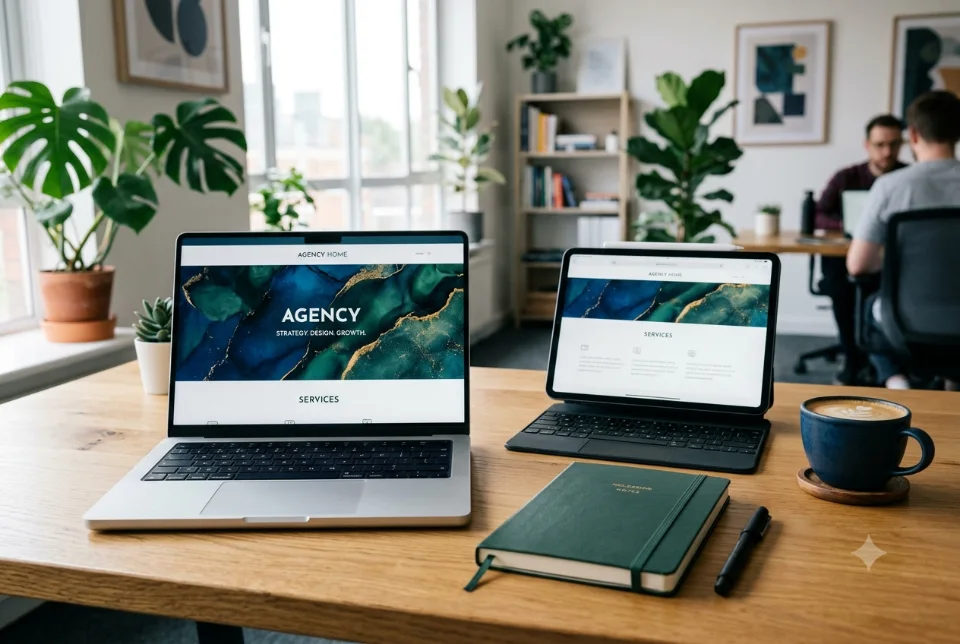
To choose web hosting in India, start with what your website actually does, then match it to a hosting type: shared for small brochure sites, VPS or cloud for growing or busy sites, and managed WordPress hosting if you want someone else to handle updates and speed. Then check server location, uptime, backups, SSL, support and the renewal price before you pay. This guide explains each step in plain language.
What web hosting actually does
Web hosting is the rented computer (a server) that stores your website files and sends them to visitors when they type your address. Your domain name is the address, and hosting is the building where the website lives. Both are bought separately, and both need renewing every year. If you are still picking a name, read our guide on how to choose a domain name in India first.
Hosting affects more than whether your site is online. It influences how fast pages open, how safe your data is, whether your business email reaches inboxes and how well the site copes on a festival sale day. A cheap plan that suits a five-page site can struggle under an online store. That is why the choice deserves ten minutes of thought before you pay for a year.
Shared, VPS, cloud and managed WordPress hosting
Most hosting plans fall into four types. Names vary between companies, so judge a plan by what it really gives you, not by its label.
- Shared hosting: Many websites share one server and its resources. It is the most economical type and works well for small business sites, portfolios and simple blogs with modest traffic. The limit is that a busy neighbour can slow you down, and you have little control over server settings.
- VPS hosting: A virtual private server gives you a guaranteed slice of a machine, with more control and steadier speed. It suits growing sites, small online stores and custom applications. Someone must manage it, so ask whether the plan is managed or whether you must handle security and updates yourself.
- Cloud hosting: Your site runs on a group of connected servers, so resources can be raised when traffic grows. It suits sites with changing traffic, such as sale campaigns, and web apps. Pricing is often usage based, so understand what you will be billed for.
- Managed WordPress hosting: The provider tunes the server for WordPress and usually handles core updates, caching, backups and security scanning. It saves effort for owners who are not technical, though it supports WordPress only and may limit which plugins you can install.
There is also dedicated hosting, where a whole physical server is yours. Most small businesses never need it. If you are unsure, shared or managed WordPress hosting is a sensible start, and you can move up later.
Server location: India or abroad?
The physical distance between your server and your visitors affects loading time. If most of your customers are in India, a server in an Indian data centre usually gives faster response, because data travels a shorter route. This matters most for local businesses, schools, clinics, restaurants and stores selling within India.
A foreign server is not automatically bad. If your audience is spread across countries, a nearby location for each audience, or a content delivery network (CDN) that serves copies of your pages from many places, can work well. Some businesses also have rules or customer expectations about where data is stored, so check any requirement that applies to you. Server location is only one factor, so a good plan abroad can still beat a poor one in India.
Ask the provider exactly where your server will sit, and whether you can choose the location. Then test it: after launch, open the site on a mobile network in a few cities and see how it feels. Our website speed optimization tips cover what else to check if pages feel slow.
Want this done for you? Ragnar Studios handles Website Design & Development. See how it works or get a free quote.
A practical checklist before you buy
Use this list to compare any two plans side by side. If a provider cannot answer an item clearly, treat that as useful information.
- Uptime commitment: Look for a stated uptime figure and what happens if it is missed. Remember that no one can promise a site that never goes down.
- Backups: Ask how often backups run, how long they are kept, where they are stored and how you restore one. Daily backups kept away from the main server are a good sign.
- SSL certificate: The padlock in the browser is essential. Check that SSL is included, installs easily and renews automatically.
- Support: Find out the hours, the channels (chat, phone, ticket) and whether support will help with real site problems or only with billing.
- Resources: Check storage, bandwidth, number of websites allowed, memory and any limits on simultaneous visitors or processes.
- Security: Look for malware scanning, firewall protection and isolation between accounts.
- Control panel: A familiar, easy dashboard saves time when you need to add email accounts or databases.
- Staging and tools: A staging copy lets you test changes safely before they reach the live site.
For a deeper look at protecting your site once it is live, see our website security checklist for small business.
Uptime, backups and support in real life
Uptime figures look impressive on a sales page, but what you feel is how the provider behaves when something breaks. A site that goes down during a Diwali sale costs you orders, whatever the percentage on paper.
Backups deserve special attention. Many owners discover on the worst day that the backup is missing, too old or stored on the same server that failed. Keep your own copy as well. Download a full backup at regular intervals and store it somewhere separate, such as your own cloud storage account. A backup you have never tested restoring is only a hope.
Good support is hard to judge before you buy, but you can test it. Send a pre-sales question about migration or email setup and see how fast and how clearly you get an answer.
Renewal price traps in web hosting in India
The most common surprise in web hosting in India is the renewal bill. Many plans advertise a low first-term rate that applies only to the first term, often when you pay for several years at once. When renewal arrives, the price can be noticeably higher. Read the fine print before checkout, not after.
- Find the renewal price for the same plan and the same period, and compare that figure, not the first-year offer.
- Check whether the domain, SSL, backup tool or malware scanner is free only for the first year.
- Note taxes, since GST is usually added on top of the displayed price.
- Keep the login for the account in your own name and your own email, never only with a freelancer or agency.
That last point matters. Owners sometimes lose access to their own hosting or domain because it was bought in a former employee's or developer's name. Always register in the business name or your own, and keep the renewal reminders going to an inbox you actually read.
Email hosting for your business
Many hosting plans include email accounts on your domain, such as name@yourbusiness.com. That is convenient, and it looks far more trustworthy than a free webmail address when you write to customers. But email on a busy shared server can sometimes land in spam or hit sending limits, which is a problem if you send quotes and invoices.
Ask what limits apply, such as the number of emails per hour and mailbox size. Many businesses keep the website on one hosting plan and use a separate, dedicated business email service, so a website problem never stops mail.
Estimate your traffic and storage needs
You do not need an exact forecast, only a realistic range. A five-page business site with a few photos needs very little storage and handles modest traffic comfortably on a basic plan. A site with a big photo gallery, video, downloadable catalogues or many product images needs more storage and bandwidth.
- Brochure or portfolio site: Low traffic and light pages. Shared or managed WordPress hosting is usually enough.
- Blog or content site: Traffic can grow over time. Choose a plan that lets you upgrade without moving the site.
- Online store: Carts and checkouts cannot be served from a simple cache, so the server works harder. Plan for stronger resources, and see our notes on building a store in how to build an ecommerce website in India.
- Web app or portal: Logins, databases and background tasks usually point to VPS or cloud hosting.
Also think about campaigns. If you plan ads, a launch or a seasonal sale, traffic can jump for a few days. Ask whether the plan can be upgraded quickly, and whether a CDN or caching can take some of the load.
Matching hosting to the kind of website
Platform matters too. A hosted store builder such as Shopify includes its own hosting, so you do not buy it separately. WordPress and WooCommerce sites need hosting you choose yourself, and quality varies a lot between plans. Custom-coded sites need hosting that supports the language and database they use, so tell your developer before you buy anything.
If you are comparing platforms as well, our article on WordPress vs custom website explains how that choice changes your hosting needs. When in doubt, ask your developer which server requirements the site has, and buy a plan that clearly meets them.
Moving to a new host without losing your site
Switching host is common and safe when planned. The usual pattern is to copy the site to the new server, test it there, and only then point the domain across. This keeps the old site live until the new one is confirmed, so visitors see no gap.
- Take a complete backup of files and database, and keep a copy offline.
- Set up the new hosting account and copy the site across.
- Test the copy using a temporary address or a staging link.
- Recreate email accounts and settings on the new side before the switch.
- Lower the domain's DNS cache time a day earlier if your provider allows it.
- Change the DNS records to the new server, then check pages, forms, checkout and email.
- Keep the old plan active for a few days until everything is confirmed.
Many providers offer free migration, but ask what it covers: files only, or email and databases as well.
Common mistakes and how to get help
- Buying the lowest first-year offer without reading the renewal price.
- Never checking whether backups really work.
- Putting the hosting account in someone else's name.
- Choosing a plan for the site you have today, not the site you plan to have in a year.
- Ignoring support quality until something breaks.
If this still feels technical, you do not have to decide alone. At Ragnar Studios, an IT company and design studio in India, we help clients understand what a project needs before they buy hosting, and we build and maintain websites on it afterwards. See our website design and development service, including updates and backups. Pricing is a custom quote after we understand your requirements.
Frequently asked questions
Which type of web hosting in India is best for a small business?
For a brochure or portfolio site, shared hosting or managed WordPress hosting is usually enough. Growing stores, web apps and sites with changing traffic suit VPS or cloud hosting. Choose by what your site does and how much traffic you expect, and keep room to upgrade later.
Is shared hosting good enough for a business website?
Yes, for a small site with modest traffic it often is. The risk is that other sites on the same server can slow yours down. Check backups, SSL and support, and be ready to move to VPS or managed hosting if the site grows or becomes slow.
Should my hosting server be in India?
If most of your customers are in India, an Indian server generally gives faster response for them. If your audience is global, a CDN or a closer location may serve better. Server location is one factor among uptime, support and plan quality, so weigh them together.
Why is my hosting renewal so much higher than the first year?
Many plans advertise a discounted first-term price that does not apply on renewal. Always compare the renewal price for the same plan and period before buying. Also check whether domain, SSL or backup features are free only in the first year.
Do I need separate email hosting?
Not always. Many plans include email on your domain, which is fine for low volume. If email is critical for quotes and invoices, a separate business email service keeps mail working even if the website has a problem, and often handles delivery more reliably.
How much storage and bandwidth do I need?
A small business site needs little. Sites with large photo galleries, videos, catalogues or many products need more. Estimate your page sizes, product images and expected visitors, then choose a plan that can be upgraded without moving the site to a new server.
Can I change my web hosting later?
Yes. A good migration copies the site to the new server, tests it, and only then switches the domain, so there is little or no downtime. Take a full backup first, recreate email accounts and check forms, checkout and pages after the move.
Does Ragnar Studios provide hosting advice?
Yes. We help clients understand what their website needs before they buy hosting, and we build and maintain sites afterwards. Hosting, domain and plugin charges are paid to the providers and are separate unless agreed in writing. Ask us what applies to your project.
Not sure what your website needs from its server? Ragnar Studios can plan, build and look after it as part of website design and development, with a custom quote after we understand your requirements.
Free quote
Tell us about your website
Fill this short form and send it on WhatsApp. We reply with questions or a quote. Nothing is charged on the website.
- Takes about two minutes
- Goes straight to Ragnar Studios on WhatsApp
- Prefer email? Write to info@ragnarstudio.com
Ready to start How to Choose Web Hosting in India Without Overpaying?
Tell us what you need. We reply on WhatsApp with questions, next steps and a quote.