
Home / Blog / How to Migrate a Website to WordPress Without Losing SEO
Web DevelopmentHow to Migrate a Website to WordPress Without Losing SEO
Moving to WordPress should not cost you your Google visibility. This plan covers what to record, redirect, test and monitor so the switch stays safe. This guide on migrate a website to WordPress covers the safe migration plan, step by step, record your baseline before touching anything and create the 301 redirect map.
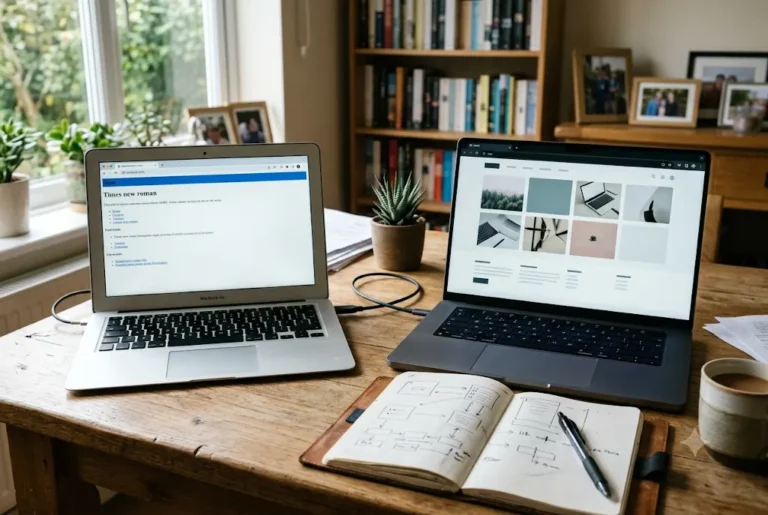
To migrate a website to WordPress without losing SEO, you need to keep your important URLs the same or redirect every old URL to its new one with a 301 redirect, carry over titles, descriptions and content, and test everything before switching the domain. Done carefully, a move to WordPress can keep your Google visibility intact. Done carelessly, it can wipe out years of rankings in a week. This guide gives the safe order of work.
Related reading and services: WordPress development company in India, website redesign company in India and website redesign service.
Key takeaways
- Keep important URLs the same or 301-redirect every old URL to its new equivalent.
- Record your baseline traffic, top pages and top queries in Search Console and Analytics before you touch anything.
- Build the new site on a staging copy, never over the live site.
- Carry over titles, meta descriptions, H1s and body content before improving them.
- Test redirects, forms and tracking on staging before you switch the domain.
Why businesses migrate a website to WordPress
Common reasons are an old site that cannot be edited without a developer, a locked website-builder plan, a slow custom build, or a need for a blog, booking form or online store that the current platform handles badly. WordPress suits many small businesses because you can update content yourself and choose from many plugins. If you are unsure whether it is the right fit, compare options in WordPress vs custom website before you commit.
Migration is also a good moment to fix old problems. But keep two jobs separate in your mind: moving the site, and redesigning the site. Changing everything at once makes it hard to tell what caused a drop in traffic later.
What can go wrong with SEO during a migration
Search engines have stored your old addresses along with what they think each page is about. If those addresses suddenly return a "page not found" error, Google drops them and the ranking they earned goes with them. These are the usual causes of loss.
- Old URLs are not redirected to the matching new pages.
- Everything is redirected to the home page instead of the right page.
- Titles, headings and page text are shortened or rewritten without checking what ranked.
- The new site is left blocked from Google after launch.
- Images, PDFs and internal links break.
- The domain, hosting and SSL are changed together, with no way to compare before and after.
The safe migration plan, step by step
- Record the current performance: organic traffic, top pages and top search queries.
- Crawl and list every existing URL.
- Decide which pages to keep, merge or remove.
- Build the new site on a staging copy, hidden from Google.
- Create a redirect map from every old URL to its new URL.
- Copy titles, descriptions, headings, alt text and key content.
- Test the staging site thoroughly.
- Launch, apply redirects and submit the sitemap.
- Monitor for four to eight weeks and fix problems quickly.
The next sections explain each stage in plain terms.
Want this done for you? Ragnar Studio's handles WordPress Development. See how it works or get a free quote.
Record your baseline before touching anything
Open Google Search Console and Google Analytics and save your last 12 months of data: top pages, top queries and total clicks. Export them to a spreadsheet. If you do not have either tool set up, install them now, and read our Google Search Console guide to get started. This baseline is the only way to prove later whether the migration helped or hurt.
Take screenshots of your top ten pages too. Also note which pages bring enquiries, not just traffic. Avoid migrating just before a festival sale or admission season, when a dip in visits would cost the most. A page with modest traffic that produces calls every week is more valuable than a busier page that produces none.
Inventory every URL and decide what to keep
Use a crawler tool, your current CMS export or your sitemap to list every page, post, image and PDF on the old site. For each one, note the title, address, traffic and whether other websites link to it. Then label each page as keep, merge or remove.
Keep pages that rank or earn enquiries. Merge thin pages that cover the same topic into one stronger page. Remove only pages with no traffic, no links and no purpose, and even then redirect them to the closest relevant page. Do not delete content to "clean up" before the move, as you could remove something that was quietly bringing visitors.
Build the WordPress site on a staging copy
Never build over the live site. Ask your developer or host for a staging environment, a private copy of the new site that visitors and Google cannot see. Set the "discourage search engines" option on the staging site so it does not get indexed, and password-protect it if possible.
While building, try to keep the same page URLs where it makes sense. A page at /services/web-design/ that stays at the same address needs no redirect and carries over its history. Where the structure must change, note the new address in your map. If you need a team for the build, our WordPress website development service works from a written scope, and website redesign services cover cases where the design changes too.
Create the 301 redirect map
A redirect map is a two-column sheet: the old address on the left, the new address on the right. Each old URL should point to the single most relevant new page, not to the home page. Use a 301 redirect, which tells search engines the move is permanent so the old page's value passes to the new one.
On WordPress, redirects can be added through your SEO plugin, a dedicated redirect plugin or the server file, depending on your host. Include the version with and without www, http and https, and any old query-string addresses that still get traffic. If a redirect chain forms, where A goes to B and B goes to C, fix it so A goes straight to C.
Carry over titles, content and on-page elements
For every page you keep, copy the existing title tag, meta description, H1 and main body text before improving anything. Keep image file names and alt text where they are useful. Reconnect internal links, so that menus, footer links and in-text links all point to the new addresses. Our on-page SEO checklist and WordPress SEO checklist for business websites help you configure these elements once the site is built.
Check structured data, social sharing tags and any tracking codes such as Google Analytics, Meta Pixel or Google Tag Manager. They are often lost silently in a move. Also move forms, WhatsApp buttons and phone links so enquiries keep flowing from day one.
Test everything before launch
Testing on staging catches problems while they are still free to fix. Use this launch-readiness list, and compare it against our general website launch checklist.
- Click every menu and footer link, and test forms, payment buttons and WhatsApp links.
- Open the site on two phones and one laptop.
- Spot-check at least 20 redirects from your map.
- Check that images load and are compressed. See website speed optimization tips.
- Confirm the search visibility box is unticked for launch day.
- Back up both the old and new site.
Launch day: switch carefully
Choose a quiet time, such as an early weekday morning, not a festival sale day. Take a final backup of the old site, point the domain to the new hosting if you are changing hosts, switch on SSL, apply the redirects and untick the discourage-search-engines option. If your hosting is changing too, read how to choose web hosting in India first, and avoid changing the domain name at the same time. A domain change is a separate and riskier move; see how to choose a domain name in India if that is part of your plan.
Immediately afterwards, open the live site, test ten key URLs and make sure the old addresses redirect properly. Submit the new XML sitemap in Search Console and ask Google to inspect your home page and top pages.
Monitor for the first eight weeks
Watch Search Console daily in the first week and weekly after that. Look for rising 404 errors, "crawled but not indexed" pages and sudden drops in clicks on top pages. Fix any broken or missing redirect straight away. Some movement in rankings is normal for a few weeks while Google reprocesses the site, but a steep, lasting fall means something needs attention. If pages are slow to appear, use our guide on how to get your website indexed.
Keep the old site backup for at least a few months, and renew the old domain and hosting until you are sure nothing is missing. Plan ongoing care too, since a new WordPress site needs updates and backups through website maintenance services.
Special cases: builders, subdomains and regional content
If you are leaving a hosted builder such as Wix or Squarespace, check early whether your page addresses can be matched, because builders often add folders or ID numbers to addresses that WordPress will not reproduce. If you currently have a separate blog on a subdomain, decide whether to bring it into the main site, since that move needs its own redirects. If your site is still on plain http, the move is the best moment to switch fully to https.
Many Indian businesses also run Hindi or regional-language pages next to English ones. Treat each language page as its own URL with its own redirect, and keep the language switch working on the new site. When you migrate a website to WordPress, test the Hindi pages as carefully as the English ones, including fonts and mobile display, because they often carry a large share of local enquiries.
DIY or professional help? A very small site of five or six pages can often be moved by yourself using an export, a migration plugin and careful redirects. Larger sites, online stores, sites with years of blog posts, or sites on a custom platform usually need a developer, because mapping URLs and rebuilding templates takes experience. Cost depends on the number of pages, the source platform, design changes and content work, and is best settled in a written scope. Ragnar Studio's gives a custom quote after understanding your requirements. We have built 900+ websites and Shopify stores, and we can plan the redirects before any work begins. For a straight answer on migrate a website to WordPress, send us a short WhatsApp message with your goal and budget.
Frequently asked questions
Will I lose my Google rankings if I move my website to WordPress?
Not necessarily. Rankings are at risk mainly when addresses change without redirects or when content and titles are weakened. If you keep URLs the same or redirect each old page to its closest new page with a 301, carry over key content and test before launch, most sites see only short-term movement. Results are never guaranteed.
What is a 301 redirect and why does it matter for migration?
A 301 redirect is an instruction that says a page has moved permanently to a new address. Visitors and search engines are sent automatically to the new page, and most of the old page's value passes along. Without 301 redirects, old addresses show errors and the search visibility they earned can disappear.
Should I keep the same URLs when migrating to WordPress?
Where possible, yes. Keeping the same address means no redirect is needed and the page keeps its history. In WordPress you can often match old URLs by choosing suitable permalink settings and page slugs. When the structure must change, use a redirect map that sends every old URL to its closest new equivalent.
How long does a website migration to WordPress take?
It depends on the number of pages, the source platform, how much design work is involved and how quickly content is approved. A small brochure site can move faster than a large blog or store. A reliable developer will give a scope and schedule after reviewing your site, not a fixed promise before seeing it.
Can I migrate from Wix, Squarespace or another builder to WordPress?
Yes, though builders handle exports differently, and some do not let you export design or all content. Often you export text and images, rebuild the design in WordPress and set up redirects. Check that your builder lets you keep or forward the domain, and keep the old plan active until the new site is live and tested.
Do I need to change hosting when I move to WordPress?
Not always, but WordPress runs best on hosting that suits it, with current PHP versions, backups and enough resources. If you do change hosting, avoid changing the domain name at the same time. Moving one thing at a time makes problems easier to trace and lowers the SEO risk.
What should I check in Search Console after migration?
Check the Pages report for new errors, the Sitemaps report for successful processing, and the Performance report for drops in clicks on your top pages. Use URL Inspection on key pages. Watch for 404 errors, redirect issues and pages marked noindex by mistake. Fix problems quickly and keep monitoring for several weeks.
How much does it cost to migrate a website to WordPress?
The cost depends on page count, the platform you are leaving, redesign needs, content cleanup, redirects and testing. There is no single fair price for every site. Ragnar Studio's provides a custom quote after reviewing your site and requirements, with the scope written down so you know what is included before work starts.
Planning a move? Our team can map your redirects and build the new site; see WordPress website development and ask for a custom quote.
Free quote
Tell us about your WordPress website
Fill this short form and send it on WhatsApp. We reply with questions or a quote. Nothing is charged on the website.
- Takes about two minutes
- Goes straight to Ragnar Studio's on WhatsApp
- Prefer email? Write to info@ragnarstudio.com
Ready to start your project?
Tell us what you need. We reply on WhatsApp with questions, next steps and a quote.