
Home / Blog / Shopify Product Page Optimization: A Practical Guide for Ind
Shopify & EcommerceShopify Product Page Optimization: A Practical Guide for Indian Stores
Your product page is where a visitor decides to buy or leave. Here is how to improve titles, photos, copy, trust signals, speed and SEO, step by step.
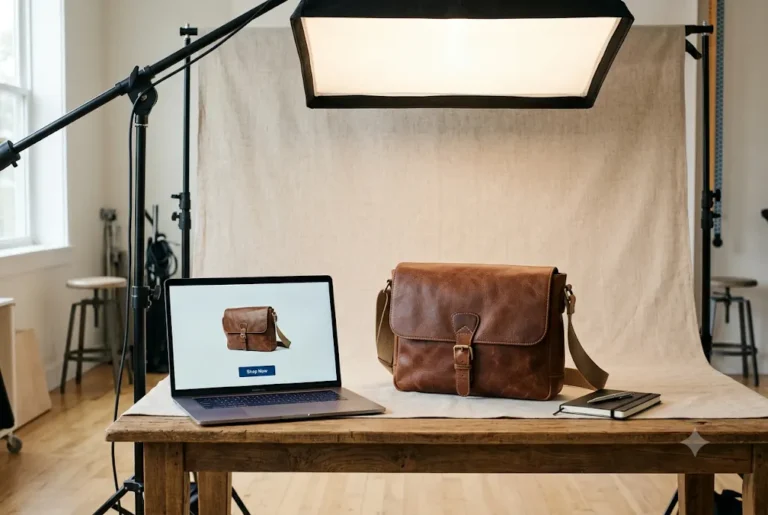
Shopify product page optimization means improving the one page where a visitor decides to buy: the title, photos, description, price, delivery details, reviews and the add to cart button, plus the technical basics that help it appear in Google. For most Indian stores, the biggest gains come from clearer photos, honest delivery and return information, visible UPI and COD options, and a fast mobile page. This guide walks through each part in the order a buyer reads it.
- Key takeaways: answer "what is it, can I trust you, what happens after I pay" on the page itself.
- Use sharp, consistent photos and original descriptions, not supplier copy.
- Show UPI, COD, delivery time and returns near the button.
- Keep the page light on mobile and measure changes one at a time.
What a product page has to do
A shopper who lands on your product page usually has three silent questions: what exactly is this, can I trust this store, and what happens after I pay. If the page answers all three quickly, the sale becomes easy. If it leaves any one open, the visitor goes back to the search results or opens another store in a new tab.
That is why product page work is not only design. It is a mix of merchandising, copywriting, trust signals and technical care. Many customers in India browse on a phone, often on a mobile network, and many like to confirm delivery details before paying. Build the page for that person first. Desktop can follow. Share your references for shopify product page optimization, including things you like and things you want to avoid.
Write a product title and URL that search and shoppers both understand
Your title is both the headline of the page and the main signal Google reads. Start with the product name people actually use, then add the detail that separates it from similar items, such as material, size, pack count or model. Avoid stuffing five keywords into one line. Compare these two: "Cotton Kurti Women Ladies Kurta Top Casual" reads like spam, while "Women's Cotton Straight Kurti, Block Print, Blue" reads like a product.
Keep the URL handle short and readable, for example the product name without filler words. Changing a handle after the page has been indexed creates a redirect, so settle it before launch. If you want the wider search picture for your catalogue, our Shopify SEO guide for Indian stores covers collections, handles and structure.
Images and video that remove doubt
In an online store, photos do the job of holding the product in the hand. Aim for a clear main image on a clean background, then lifestyle shots, close ups of texture or stitching, a size or scale reference and, where relevant, the back and packaging. For clothing, jewellery and home decor, a photo showing the item on a real person or in a real room answers the "will it suit me" question better than a catalogue image alone.
- Consistent size and ratio: use the same aspect ratio for every product image so the gallery does not jump around on mobile.
- Zoom-worthy resolution: upload sharp images, then let Shopify serve resized versions. Compress before upload to keep pages light.
- Short video: a 10 to 20 second clip showing the product in use helps with fit, size and finish, and is easy to make on a phone.
- Alt text: describe the image in plain words, for example "blue block print cotton kurti on hanger", not a list of keywords.
If your product graphics and banners need a consistent look, our creative design team can prepare visuals that match your brand.
Want this done for you? Ragnar Studio's handles Shopify Store Development. See how it works or get a free quote.
A product description that sells without stuffing
A good description is written for a buyer, not a crawler. Lead with a one or two line summary of who the product is for and the main benefit. Follow with short bullet points for the facts people compare: material, dimensions, weight, colour options, what is in the box, care instructions and warranty if any. Add a short paragraph that explains how it is used or why it is made the way it is.
Write original text. Copying the supplier description puts your page next to dozens of identical ones and gives Google no reason to prefer yours. This matters even more for dropshipping stores that import products in bulk, as covered in our dropshipping store setup service. Read how to write website content that converts for a simple writing method. If your customers speak Hindi or another regional language, consider a short line in that language for the main benefits. Ask how shopify product page optimization will be tested or checked before it is called finished.
Price, payment trust, shipping and returns
Show the price clearly and say whether it includes GST if that matters for your buyers, especially business customers who want a GST invoice. If you show a compare-at price, make sure the original price is real; inflated "was" prices damage trust fast. Show discounts as a clear amount or percentage and keep the offer end date honest.
Payment confidence is a major factor here. Make it visible that customers can pay by UPI, cards, net banking and wallets, and mention cash on delivery if you offer it, along with any COD fee or pincode limits. A small row of payment icons near the add to cart button and a line such as "Secure checkout" is enough. Setting up the gateway properly is a separate job, covered in how to accept online payments in India.
Many abandoned carts in a small store come down to surprise: surprise shipping cost, surprise delivery time, unclear returns. Put the answers on the product page instead of hiding them in the footer. Show the expected delivery window, the shipping charge or free shipping threshold, and a one-line return or exchange summary with a link to the full policy.
- A pincode checker (through a trusted app) so buyers can confirm delivery and COD before they try to buy.
- Dispatch time, such as "ships in 1 to 2 working days", only if you can keep the promise.
- A clear note for made-to-order or personalised items if they cannot be returned.
- A link to your shipping, refund and privacy pages. Our guide to legal and policy pages for Indian online stores explains what to include.
Variants, size guides and the add to cart button
Variants should be easy to choose and clearly labelled. Use swatches or buttons for colour and size instead of long dropdowns when your theme supports them, and make sure the product image changes when a colour is selected. Show out-of-stock options as unavailable rather than letting people select them and fail at the last step.
For apparel, footwear and furniture, a size guide pop-up or table reduces returns and doubts. Place the add to cart button high on the page, make it a strong contrasting colour from your theme and keep it visible on mobile. A sticky add to cart bar can help on long pages, but test that it does not cover important content. Keep the label direct, such as "Add to cart" or "Buy now", and avoid clutter around it.
Reviews and social proof you can stand behind
Genuine reviews are one of the strongest trust signals on a product page. Collect them after delivery with a short email or WhatsApp request, and show customer photos where you have permission. Display the review count and average honestly. Never publish fake or purchased reviews; apart from the trust risk, it can create legal and platform problems.
If you have no reviews yet, do not leave an empty box. Use other proof: a brief note on materials and quality checks, return assurance, a short story about how the product is made or sourced, and responsive support on WhatsApp. Add a "Questions? Chat with us" link, because quick answers often convert a hesitant buyer. Revisit shopify product page optimization every few months, because needs, tools and expectations change over time.
Product page SEO basics that matter
Once the page works for humans, make sure search engines can understand it. Set a unique page title and meta description for each important product in the Shopify search listing editor. Put the main product name in the title and a benefit or detail in the description. Use one H1, which in most themes is the product title, and avoid repeating the same text across variants and collections.
- Structured data: most themes output basic product markup with price and availability. Check it with Google's Rich Results Test and fix missing fields rather than adding duplicate code.
- Internal links: link to related products, the parent collection and a helpful guide or size chart. Good linking is explained in our on-page SEO checklist.
- Duplicate content: avoid near-identical pages for tiny variations unless they serve different searches.
- Indexing: confirm important products appear in Google Search Console and fix errors listed there.
For store-wide work beyond a single page, our ecommerce SEO services look at structure, content and technical health together, and the ecommerce SEO guide for Indian online stores explains the full picture.
Speed and mobile experience
A slow product page loses buyers before they read a word. The usual causes are oversized images, too many apps, heavy sliders, autoplay video and large third-party scripts. Remove apps you no longer use, compress images, lazy load images below the fold and avoid stacking multiple pop-ups. Read more fixes in website speed optimization tips.
Test the page on a real mid-range phone, not only your laptop. Check that text is readable without zooming, buttons are easy to tap, the gallery swipes smoothly and checkout opens without friction. If theme limits are holding you back, our Shopify store development work includes theme customisation and conversion-focused product page layouts.
A Shopify product page optimization checklist
Use this list to audit your top ten products first, then roll improvements across the catalogue.
- Title uses the product name people search, with one clear differentiator.
- Handle (URL) is short and readable.
- Main image is sharp, with at least four supporting images and one size or scale reference.
- A short video or lifestyle image is present where it helps.
- Description has a summary, scannable bullets and original text.
- Price, GST note, offer and compare-at price are accurate.
- UPI, card, COD and other payment options are visible.
- Delivery window, shipping cost and return summary appear near the button.
- Variants and size guide are easy to use on mobile.
- Reviews or other genuine proof are displayed.
- Search title, meta description and alt text are set.
- Page loads quickly and works on a mid-range phone.
Measure results and improve step by step
Change one thing at a time on your best-selling or most-visited products, then watch what happens over a few weeks. Useful signals include add to cart rate, checkout starts, bounce on product pages and which pages bring organic traffic. For this you need tracking in place; our walkthrough on how to add a Google tag to Shopify explains how to connect Google Analytics and Ads. Setting a sensible budget for shopify product page optimization early makes every later choice simpler.
Do not expect instant jumps, and do not copy another store's layout blindly. Results depend on your product, price, traffic quality and competition, and nothing here is guaranteed. A steady cycle of improving photos, answering objections, speeding up the page and learning from customer questions is what makes a product page stronger month after month.
Summary
Strong Shopify product pages answer what the product is, why it can be trusted and what happens after payment. Start with clear titles and images, add useful original descriptions, show payment and delivery details openly, collect real reviews, set the SEO basics and keep the page light on mobile. Then measure and refine. If you would like help, our Shopify team can review your store and quote based on your catalogue and goals. For shopify product page optimization, it is fine to ask for the work in stages so you can approve each step.
Frequently asked questions
What is Shopify product page optimization?
It is the process of improving each product page so more visitors understand the product, trust your store and complete the purchase, while also helping the page appear in search. It covers titles, images, descriptions, pricing, delivery details, reviews, page speed and basic SEO. Good Shopify product page optimization is done page by page, starting with your best sellers.
How many images should a Shopify product page have?
There is no fixed number, but most products benefit from four to eight images: a clean main shot, angles, close ups, a lifestyle image and a size or scale reference. Add a short video if it helps explain use or fit. Keep the ratio consistent and compress files so the page stays quick on mobile data.
Should I show cash on delivery on the product page?
If you offer COD, say so clearly, including any fee or pincode limits, because many Indian buyers look for it. Do not promise COD on items where you cannot support it. Also show UPI and card options so customers who prefer prepaid know it is safe, and keep the wording simple and honest.
How long should a product description be?
Long enough to answer the buyer's real questions and no longer. A short benefit summary, bullet points for specifications, and a brief paragraph on use or care works for most items. Complex or high-value products may need more detail. Always write original text instead of pasting the supplier description.
Do product reviews help SEO and sales?
Genuine reviews add fresh, relevant content and give buyers confidence, which can help conversions. Collect them after delivery through email or WhatsApp and show them honestly. Never publish fake reviews. Results vary by product and traffic, and reviews alone do not guarantee higher rankings or sales. When you look at shopify product page optimization, compare scope and clarity first and price second.
What slows down a Shopify product page?
Common causes are very large images, many installed apps, sliders, autoplay video and heavy third-party scripts. Remove unused apps, compress images, lazy load below-the-fold media and limit pop-ups. Test on a real mid-range phone and a normal mobile network, not just on fast broadband.
Do I need an app to optimize product pages?
Not always. Many improvements, such as better photos, copy, search titles and clear policies, need no app. Some apps help with reviews, pincode checks or size charts, but each adds weight and cost, so add only what you need and remove anything you stop using.
Can Ragnar Studio's optimise my Shopify product pages?
Yes. We work on Shopify themes, product page layouts, content and tracking. After you share your store link and goals on WhatsApp, we review the pages and share a custom quote based on how many products and what changes are needed. We do not promise specific sales or rankings.
Want a second pair of eyes on your store? Our Shopify store development team can review your product pages and share a custom quote after understanding your catalogue.
Free quote
Tell us about your Shopify store
Fill this short form and send it on WhatsApp. We reply with questions or a quote. Nothing is charged on the website.
- Takes about two minutes
- Goes straight to Ragnar Studio's on WhatsApp
- Prefer email? Write to info@ragnarstudio.com
Ready to start your project?
Tell us what you need. We reply on WhatsApp with questions, next steps and a quote.