
Home / Blog / Wix vs WordPress vs Shopify: Which Fits Your Small Business
Web DevelopmentWix vs WordPress vs Shopify: Which Fits Your Small Business in India?
A fair comparison of the three platforms on ease, cost structure, SEO, selling online, GST and payments, and how hard it is to leave later. Includes a table and a guide to who should pick which.
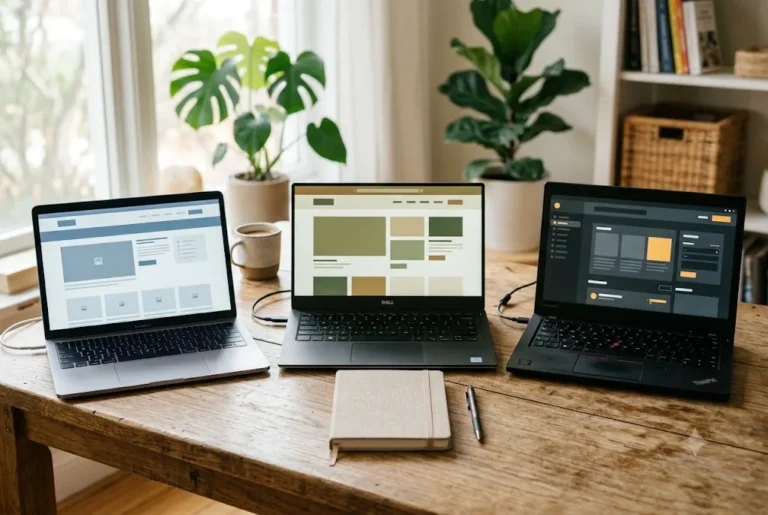
If you are a small business owner in India choosing a platform, the Wix vs WordPress vs Shopify question usually comes up in the first week. All three can put a decent website online. They differ in how much control you get, how the costs are structured, how well they handle selling products, and how painful it is to leave later. This guide compares them fairly, without pushing one as the answer for everyone. Our guide to AI Website Builder vs Web Developer covers this in more depth.
Related reading and services: WordPress development company in India, Shopify development company in India, WordPress versus a custom website and Shopify versus WooCommerce.
What each platform actually is
Wix is a hosted website builder. You pick a template or use its guided tools, edit visually in the browser, and Wix runs the hosting, security and updates. You pay a subscription and you work inside its system.
WordPress is free, open-source software that you install on hosting you choose. There is also a hosted version, but when people say WordPress for business they usually mean the self-hosted one. You get a huge range of themes, plugins and developers, and in return you take responsibility for hosting, updates, backups and security.
Shopify is a hosted platform built mainly for selling products online. Products, inventory, checkout, discounts and orders are its core. It handles hosting and platform security, and you extend it with themes and apps.
So the comparison is not quite like for like. Wix is a general builder, WordPress is a flexible toolkit, and Shopify is an ecommerce system. Keep that in mind as you read the rest. Ask how wix vs wordpress vs shopify will be tested or checked before it is called finished.
Ease of use and getting started
Wix is usually the quickest for a non-technical person. The editor is visual, the options are limited enough to avoid confusion, and a simple site can be live in a weekend. For a local service business that needs a few pages and a contact form, this is a real advantage, and it is fair to say Wix does this well.
Shopify is also easy once you accept its structure. Adding products, collections and shipping settings follows a clear path, and the admin is designed for shop owners rather than designers.
WordPress has the steepest start. You need hosting, a domain connection, a theme, and a handful of plugins, and the editor takes time to learn. After setup, day-to-day edits are comfortable, especially with a page builder, but the first build is easier with a developer than alone. If you are weighing builders inside WordPress, see our comparison of Elementor vs Gutenberg.
Cost structure: subscription vs hosting
Pricing changes often and varies by plan, billing period and region, so check each provider's current page rather than trusting any number in an article. What stays stable is the structure of the costs.
- Wix: a recurring subscription that bundles hosting, templates and the editor. Higher plans unlock more features, including selling online. A custom domain usually needs a paid plan.
- WordPress: the software is free, but you pay for hosting, a domain, often a premium theme or page builder, and sometimes paid plugins for forms, backups, security or SEO. Costs are split across several vendors, and developer time is a separate line.
- Shopify: a recurring subscription, plus transaction or payment gateway fees, plus paid apps if you add features the core does not cover. A theme may be free or paid.
Subscription platforms feel predictable month to month but the bill can grow as you add plans and apps. WordPress can look cheaper on paper, yet the real cost depends on the quality of hosting and the time someone spends maintaining it. A cheap setup with no upkeep can become expensive after a hack or a broken update. For rough budgeting on the WordPress side, read WordPress website cost in India.
Want this done for you? Ragnar Studio's handles Website Design & Development. See how it works or get a free quote.
Design flexibility
Wix gives good visual freedom inside its editor, with drag-and-drop placement and many templates. The limit appears when you want behaviour or layouts the editor was not built for, or when you want to move the design to another system. Designs are tied to the platform.
WordPress has the widest ceiling. A developer can build almost any layout, custom post types, memberships, bookings or integrations, and the design can be fully unique. The cost of that freedom is more decisions, more setup and more things to maintain.
Shopify themes are polished for shopping and mobile checkout, and you can customise sections without code. Deeper changes to checkout or unusual product logic need a developer who knows its templating language, and some areas of checkout are restricted on lower plans.
SEO control
All three can rank. None of them ranks a site by itself, because content, page structure, speed, links and search intent do most of the work. What differs is how much you can adjust.
- Wix offers editable titles, meta descriptions, URLs, redirects and structured data options through its SEO tools, which is enough for most small business sites.
- WordPress gives the most control: URL structure, schema, sitemaps, redirects, caching and server-level speed tuning, usually via an SEO plugin and good hosting. See our WordPress SEO checklist for what to set up.
- Shopify has solid defaults for products and collections, but URL structure is partly fixed (for example, the /products/ and /collections/ paths). Our Shopify SEO guide for Indian stores covers what you can and cannot change.
Page speed matters on Indian mobile networks. Hosted platforms handle the basics for you. On WordPress, speed depends on your hosting, theme and plugins, so it can be excellent or poor.
Ecommerce depth
If selling is the main purpose of the site, this is where Shopify pulls ahead. Inventory, variants, discount rules, abandoned cart recovery, order management and a large app ecosystem are built around it. It also scales more comfortably when you have hundreds of products and regular orders.
Wix has an online store feature that suits a small catalogue and straightforward selling. Many sellers with a modest range do fine with it, and some prefer its simplicity.
WordPress with WooCommerce can match or exceed either on flexibility, including unusual pricing, subscriptions or B2B rules. It also needs more care with hosting, security and plugin conflicts. The detailed trade-offs are in our Shopify vs WooCommerce comparison, and if you are planning a store, ecommerce development explains how we scope one.
Payments, GST and India-specific points
For an Indian seller, the questions that matter are practical. Can customers pay by UPI, cards, net banking and wallets? Can you collect cash on delivery? Can invoices carry your GSTIN and the right tax breakup? Can you connect an Indian shipping aggregator?
All three platforms can work with Indian payment gateways, but the exact options differ by platform, plan and the gateway's own approval process, and they change over time. Before committing, confirm on the platform's current documentation that your preferred gateway is supported, what the fees are, and whether COD is available. On WordPress, most Indian gateways offer plugins, and our guide on how to accept online payments on your website in India walks through the choices. Setting a sensible budget for wix vs wordpress vs shopify early makes every later choice simpler.
For GST, check how each platform handles tax-inclusive prices, HSN codes and invoice formats. Often a basic setup is possible out of the box and a plugin or app fills the gaps. Your chartered accountant should confirm the invoice format you need, because we cannot give tax advice.
Also check your legal pages. Indian stores need clear shipping, refund and privacy policies, and our guide to legal and policy pages for Indian online stores lists what to include.
Migration and lock-in
This is the point many owners ignore until later. With WordPress, you own the files and database, so you can move hosts whenever you like, and your content and design come with you. With Wix, the site lives inside the platform. You can usually export some content, but the design and structure generally do not transfer cleanly, so a move often means rebuilding. Shopify sits in between: product, customer and order data can be exported, but themes and app setups usually need to be rebuilt elsewhere.
Lock-in is not automatically bad. Many businesses never move, and the convenience is worth it. It just helps to know the exit cost. If you do migrate, protect your rankings by mapping old URLs to new ones. Our guide on migrating a website to WordPress without losing SEO shows how.
Maintenance and responsibility
Hosted platforms take the server, core security and platform updates off your plate. You still manage content, apps, payments, renewals and any integrations. WordPress hands more of the job to you: core, theme and plugin updates, backups, security scanning, uptime and speed. That is manageable with a routine or a maintenance plan, but it is real work, and neglected WordPress sites are a common target for malware.
If you pick WordPress, decide at the start who will look after it. Our website maintenance page describes what that care covers.
Wix vs WordPress vs Shopify: quick comparison table
Here is the whole Wix vs WordPress vs Shopify picture in one place, so you can scan it before the final recommendations.
| Area | Wix | WordPress | Shopify |
|---|---|---|---|
| Best suited to | Simple sites, local services, portfolios | Content-heavy, custom or growing sites | Stores where selling is the main goal |
| Learning curve | Low | Medium to high | Low to medium |
| Cost structure | Subscription, hosting included | Hosting, domain, themes, plugins, developer time | Subscription plus gateway fees and apps |
| Design freedom | Good within the editor | Highest | Good for shopping layouts |
| SEO control | Good for most small sites | Highest | Strong defaults, fixed URL patterns |
| Ecommerce depth | Fine for small catalogues | Very flexible with WooCommerce | Strongest out of the box |
| Ownership and exit | Tied to platform | You own files and database | Data exports, theme rebuilt |
| Upkeep | Low | Needs a routine or plan | Low to medium |
Who should pick which
After weighing Wix vs WordPress vs Shopify on the points above, most owners fall into one of these groups.
These are tendencies, not rules. Your own plans matter more than any label.
- Pick Wix if you are a solo professional, a local shop or a small service firm that needs a clean site quickly, will edit it yourself, and does not expect complex features. It is a sensible choice, not a lesser one.
- Pick WordPress if you want full ownership, strong SEO control, a blog that matters, custom features such as bookings or memberships, or a site that will grow in unpredictable ways. Expect to involve a developer or maintainer.
- Pick Shopify if you will sell physical products regularly, manage stock, run offers and want a dependable checkout. See our Shopify store setup guide if you are heading this way.
- Consider a mix in some cases, such as a WordPress content site with a Shopify store for products. It adds complexity, so do it only when there is a clear reason.
When to get a developer
You can start on any of these without a developer, especially Wix and Shopify. Bring one in when:
- You want a custom design that matches your brand rather than a stock template.
- You need integrations with a CRM, ERP, courier or accounting tool.
- Your site is slow, keeps breaking, or has been hacked.
- You are moving platforms and cannot afford to lose search traffic.
- Your store has complex pricing, B2B rules or a large catalogue.
- You simply do not have the time to manage it and want a predictable process.
You may not need one if your needs are simple, your budget is tight, and you are happy to edit a template site yourself. A good developer will tell you that honestly. If you want to talk it through, our website design and development team can suggest a platform based on your goals. Starting small is fine too: see small business websites for options.
Final thoughts
The Wix vs WordPress vs Shopify decision is mostly about three things: what you sell, how much control you want, and who will run the site after launch. Write down your needs for the next two years, check current pricing and Indian payment support on each platform, and choose the one with the fewest compromises for that list. The right platform is the one you can actually keep running well.
Frequently asked questions
Is Wix good enough for a small business in India?
Yes, for many. A local service business, clinic, studio or small shop with a few pages and a simple store can run well on Wix. It handles hosting and security for you. Limits appear with advanced custom features, deep SEO tuning and moving the site elsewhere later, so check your two-year needs first. If you are unsure about wix vs wordpress vs shopify, a short call or message exchange usually clears up more than a long document.
Is WordPress cheaper than Shopify or Wix?
Not always. The software is free, but you pay separately for hosting, domain, themes, plugins and someone to maintain it. Subscription platforms bundle more into one bill. The cheaper option depends on how long you run the site, what features you add and how much of the work you do yourself.
Which is best for SEO, Wix, WordPress or Shopify?
WordPress gives the most control over URLs, schema, redirects and speed tuning, but good SEO still depends on content and structure. Wix and Shopify offer enough SEO settings for most small sites. Shopify has some fixed URL patterns. None of them ranks a site without useful, well-organised content.
Which platform is best for selling products in India?
Shopify is usually the smoothest for regular product selling because inventory, discounts and checkout are built in. WooCommerce on WordPress is more flexible but needs more upkeep, and Wix suits small catalogues. Confirm UPI, card and COD support on current documentation before you commit.
Can I move from Wix to WordPress later?
Yes, but expect a rebuild rather than a one-click transfer. Text and images can usually be moved, while the design and structure need recreating. Plan URL redirects from old pages to new ones so you keep search visibility. It is easier if you decide early than after years of content.
Do these platforms support GST invoices?
Each can handle tax settings, and many Indian sellers add an app or plugin for GST-compliant invoices with GSTIN and HSN codes. Features vary by plan and change over time. Confirm the invoice format with your chartered accountant, then check that your chosen platform can produce it.
Do I need a developer to use Wix or Shopify?
No, you can start on your own with either one, using templates and the built-in editors. A developer helps when you want a custom design, integrations with other tools, faster performance, or a clean migration. For simple needs and small budgets, self-managing is a perfectly reasonable choice.
In Wix vs WordPress vs Shopify, which needs the most maintenance?
Self-hosted WordPress, because you manage updates, backups, security and hosting. Wix and Shopify take care of the server and core platform, though you still manage content, apps, payments and renewals. A basic maintenance routine or plan keeps a WordPress site safe and fast.
Not sure which platform suits your plans? Tell us what you sell and how you want to manage the site, and we will suggest an option through our website design and development service.
Free quote
Tell us about your website
Fill this short form and send it on WhatsApp. We reply with questions or a quote. Nothing is charged on the website.
- Takes about two minutes
- Goes straight to Ragnar Studio's on WhatsApp
- Prefer email? Write to info@ragnarstudio.com
Ready to start your project?
Tell us what you need. We reply on WhatsApp with questions, next steps and a quote.