
Home / Blog / WordPress Website Cost in India: A Realistic Breakdown
Web DevelopmentWordPress Website Cost in India: A Realistic Breakdown
WordPress itself is free, but a working business website is not. Here is where the money actually goes, with hedged indicative ranges so you can budget without surprises.
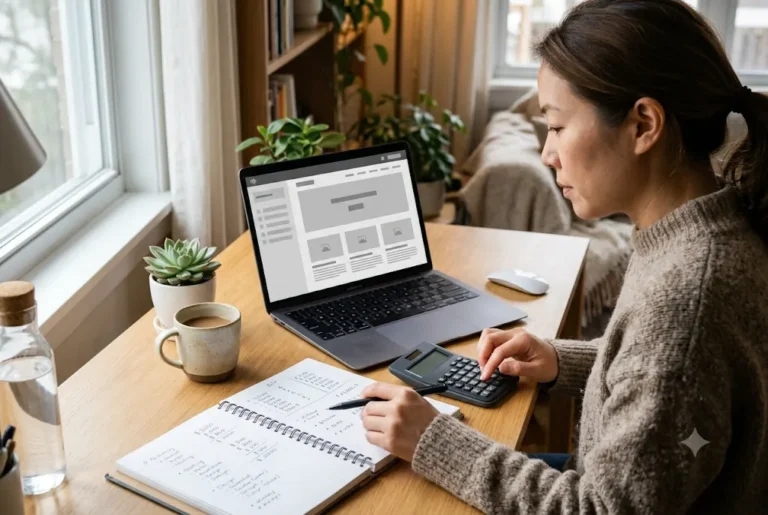
The WordPress website cost in India depends far more on scope than on the software. WordPress is free to download, so you pay for the people, hosting, domain, design, plugins and upkeep around it. As a rough guide, typical market ranges for a small business site run from a few thousand rupees for a very simple site to several lakhs for a custom or store-heavy build. Treat every number here as indicative, not a Ragnar Studio's quote.
Related reading and services: WordPress development company in India, WordPress development service, web development in Pune and how to speed up a WordPress website.
Key takeaways
- WordPress is free; hosting, domain, design, premium plugins, content and maintenance are the real costs.
- Scope (pages, features, integrations) moves the price more than anything else.
- Running costs repeat every year, so budget for year two as well as launch.
- The cheapest quote often leaves out content, speed work, security or support.
- A written scope protects you from surprise add-ons.
What drives the WordPress website cost in India
When someone says a WordPress site costs a certain amount, they usually mean the build fee. But the full picture has two parts: one-time costs and recurring costs. One-time costs are design, development, setup, content work and testing. Recurring costs are hosting, domain renewal, premium plugin or theme licences, backups, security and maintenance.
Many owners compare quotes that include different things. One agency may include copywriting, images and basic SEO, while another quotes only theme installation. Before comparing prices, line up what each quote covers. Our guide on how much a website costs in India covers the wider picture across platforms.
Indicative price ranges by type of site
Market prices in India vary widely by city, team and depth of work, so use these only as a rough guide. They are not a Ragnar Studio's price list.
- Simple brochure site (3 to 6 pages): roughly ₹6,000 / $149 to ₹30,000, usually on a ready-made theme with light customisation.
- Business site with custom design (8 to 15 pages): roughly ₹30,000 to ₹1,00,000, with a designed layout, blog, forms and basic SEO setup.
- WooCommerce online store: roughly ₹40,000 to ₹2,00,000 or more, depending on products, payment setup, shipping rules and integrations.
- Custom features, memberships or portals: often ₹1,50,000 and above, because custom development takes real hours.
If you only need a small, clear website, our fixed 5-page website at ₹5,999 / $139 (one-time, no monthly fees) is one option. Domain and hosting are separate, so ask us what applies to your project.
Want this done for you? Ragnar Studio's handles WordPress Development. See how it works or get a free quote.
The cost checklist: where each rupee goes
- Domain name: a yearly fee, usually a few hundred to around a thousand rupees depending on the extension. See how to choose a domain name in India.
- Hosting: shared plans can be inexpensive, while managed WordPress or cloud hosting costs more per year for better speed and support.
- Theme: free themes cost nothing; premium themes are usually a one-time or yearly licence.
- Plugins: many are free, but forms, SEO suites, page builders, backups and security tools may have paid tiers.
- Design and development: the biggest line for most projects.
- Content: text, product descriptions, photos and translations into Hindi or regional languages.
- SSL certificate: often free with hosting, but confirm it.
- Maintenance and support: updates, backups, security checks and small edits.
Hosting and domain: the yearly basics
Hosting and a domain are not optional. Your domain is the address people type, and hosting is where your files live. Both renew every year, and renewal prices are often higher than the first-year offer, so read the renewal line before you pay.
For a small brochure site, shared hosting can be enough. For a store, a busy blog or a site with a lot of images, better hosting pays for itself in speed and fewer outages. Our guide to choosing web hosting in India explains shared, VPS, cloud and managed plans in plain language.
Themes, page builders and plugins
A theme controls the basic look; plugins add features such as contact forms, SEO fields, galleries, bookings or payments. Free options work for many sites, but premium tools can save design time or add features you would otherwise pay a developer to build.
Be careful with plugin overload. Every extra plugin adds update work and can slow the site. A good developer picks a small set of well-maintained plugins instead of installing twenty. If a quote lists a page builder, ask whether its licence is included and who pays at renewal. Our comparison of Elementor vs Gutenberg shows how this choice affects cost and speed.
Design and development: why quotes differ
Quotes differ because the work differs. A template-based site means the developer installs a theme, changes colours and fonts, and adds your content. A custom design means a designer plans layouts for your brand, and a developer builds them, which takes more time and costs more.
Freelancers, small studios and larger agencies also price differently. A freelancer may cost less but carry one person's availability risk. An agency adds project management, design, testing and support, which is reflected in the fee. Neither is automatically better; what matters is a clear written scope and a team that answers messages. Our post on WordPress vs a custom website helps you decide whether WordPress is the right base.
Extra cost areas: store, payments and integrations
If you sell products, WooCommerce turns WordPress into a store, and the cost grows with the details. Product upload, variations, shipping rules, GST invoices, coupon logic and abandoned-cart tools all take time.
- Payments: UPI, cards and netbanking usually go through Razorpay, PayU or similar gateways. Setup is part of the build; transaction fees go to the gateway. See how to accept online payments in India.
- Integrations: courier APIs, CRM, WhatsApp chat or accounting links are usually quoted separately.
- Policy pages: refund, shipping and privacy pages are needed; read legal and policy pages for Indian online stores.
Content, images and basic SEO
A beautiful site with empty or thin pages does not help customers. Content is often the most underestimated cost. You can write it yourself, hire a writer, or ask your developer. If you need Hindi or other regional-language versions, plan for extra pages and review time.
Basic SEO setup, such as clean page titles, descriptions, sensible URLs and a sitemap, is usually part of a proper build. Ongoing SEO work such as content plans and link building is separate and depends on competition and time. Start with our SEO checklist for small business websites and our guide to writing website content that converts.
Maintenance, security and support after launch
WordPress needs regular updates to the core software, themes and plugins. Skipping them is how many sites get hacked or break after an update. Maintenance usually covers updates, backups, uptime checks, security scans and small content edits.
You can pay a monthly or yearly maintenance fee, pay per task, or handle it yourself if you are comfortable. Even a careful owner should keep off-site backups. Read our website security checklist for small business and see website maintenance services for what an ongoing plan can cover.
Hidden costs and traps to watch for
- Renewal jumps: hosting and domain prices that rise after year one.
- Licences you do not own: a theme or builder licence tied to the developer's account.
- Paid plugin renewals: annual fees that appear in year two.
- Extra revision charges: unclear limits on design changes.
- Content not included: you receive a template with placeholder text.
- No speed or mobile testing: a site that looks fine on a laptop but crawls on a phone. See how to speed up a WordPress website.
- No handover: missing admin login, backups or documentation.
Ask for ownership of your domain, hosting account and admin access in writing.
How to keep the cost sensible without cutting corners
- Write a short requirements note before you ask for quotes. Our guide on how to brief a developer helps.
- Launch with the pages you truly need, then add more later.
- Prepare your logo, photos and text before design starts, because delays and rework add cost.
- Use a small set of reliable plugins.
- Choose hosting for your real traffic, not the biggest plan.
- Ask for a phased plan if the budget is tight: core pages first, extras later.
If you are comparing providers, read how to choose a web development company in India.
How payments and timelines usually work
Most agencies and freelancers ask for an advance before work begins, then split the balance across milestones such as design approval and launch. Ask for the payment schedule in writing, and ask for a GST invoice if your accounts team needs one. Timelines depend on scope and on how quickly you send content and feedback, so avoid anyone who promises a fixed date without seeing your requirements.
A small site can move quickly when text and images are ready, while a store with many products takes longer because every product needs data and testing. Delays on the client side, such as late images or repeated design changes, are the most common reason a project costs more than planned. A short weekly check-in on WhatsApp keeps both sides honest and keeps the budget under control. Keep all feedback in one list per round so the number of revisions stays clear.
Summary: how to budget
Plan the WordPress website cost in India as a build fee plus yearly running costs. Decide your scope, ask each provider to list what is and is not included, and keep ownership of your domain, hosting and logins. Budget for content, maintenance and a small buffer for changes. If you want a clear quote for your own project, our team can review your requirements on WhatsApp and share a written scope. See our WordPress website development service for how we work.
Frequently asked questions
How much does a WordPress website cost in India?
The WordPress website cost in India ranges widely. As an indicative market range, simple sites may start around ₹6,000 / $149 to ₹30,000, custom business sites often fall between ₹30,000 and ₹1,00,000, and stores or custom features can go higher. These are rough guides, not a Ragnar quote, so ask for a written scope.
Is WordPress really free?
The WordPress software is free to download and use. You still pay for a domain, hosting, design or development time, premium themes or plugins if you choose them, content and maintenance. Think of WordPress as the free engine and the other items as the car you build around it.
What are the yearly running costs of a WordPress site?
Yearly costs usually include domain renewal, hosting, any premium theme or plugin licences, backups and security tools, and maintenance or support. Hosting and domain renewals can be higher than first-year offers, so check the renewal price before you buy and note the dates in your calendar.
Why do WordPress developers quote such different prices?
Quotes differ because scope, design depth, experience, support and included extras differ. One quote may include content, SEO setup, testing and a month of support, while another covers only theme installation. Compare line by line rather than by the final number, and ask each provider to confirm what happens after launch.
Do I have to pay for maintenance?
You do not have to, but WordPress needs regular updates and backups to stay secure and stable. You can pay a provider, pay per task, or do it yourself if you are comfortable. Skipping maintenance entirely risks broken pages and security problems.
How much extra does a WooCommerce store cost compared with a normal site?
A store usually costs more because of product setup, payment gateway integration, shipping rules, GST invoices and testing. The difference depends on the number of products and integrations. Gateway transaction fees are paid to the gateway, not to the developer, so keep them out of your build budget.
Can I get a WordPress website for under ₹10,000?
It may be possible for a very small site on a ready-made theme with limited customisation, and Ragnar Studio's offers a fixed 5-page website at ₹5,999 / $139. Domain and hosting are separate, so ask what applies to your project. Larger needs, such as a store or custom features, cost more.
How can I avoid hidden costs?
Ask for a written scope that lists pages, features, revisions, content, plugin licences, hosting and support. Confirm that you own the domain, hosting account and admin logins, and ask which items renew yearly and at what price, so year two holds no surprises.
Want a clear number for your own site? Share your pages and features on WhatsApp and we will reply with a written scope. See our WordPress website development service.
Free quote
Tell us about your WordPress website
Fill this short form and send it on WhatsApp. We reply with questions or a quote. Nothing is charged on the website.
- Takes about two minutes
- Goes straight to Ragnar Studio's on WhatsApp
- Prefer email? Write to info@ragnarstudio.com
Ready to start your project?
Tell us what you need. We reply on WhatsApp with questions, next steps and a quote.