
Home / Blog / How to Speed Up a WordPress Website, Step by Step
Web DevelopmentHow to Speed Up a WordPress Website, Step by Step
A slow site loses visitors, enquiries and patience. Follow this ordered checklist to find what is slowing your pages and fix the biggest causes first.
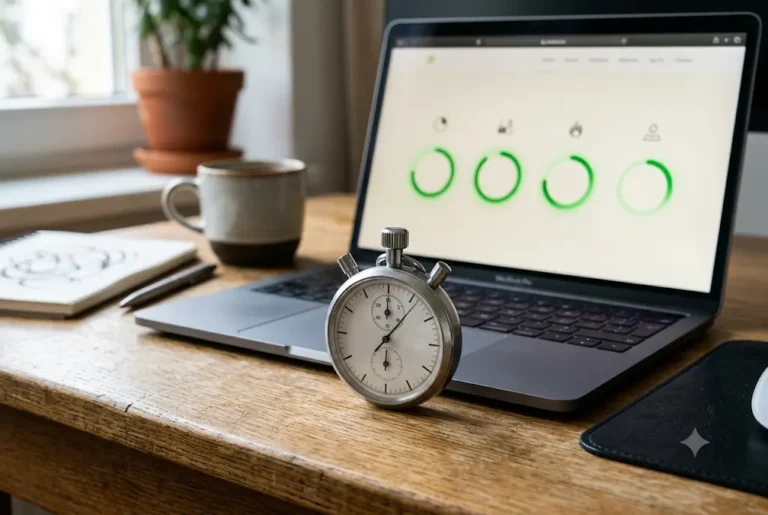
To speed up a WordPress website, measure first, then fix the biggest causes in order: better hosting, compressed images, caching, fewer and lighter plugins, a lean theme, tidy fonts and scripts, and a clean database. Most slow sites are held back by a handful of problems, not dozens. This guide gives you a practical order of work you can follow yourself or hand to a developer. When you look at speed up a wordpress website, compare scope and clarity first and price second.
Related reading and services: WordPress development company in India, web development in Pune and website maintenance service.
Key takeaways
- Test on mobile first, because most Indian visitors browse on phones, often on average networks.
- Hosting, images and plugins cause most slowdowns.
- Caching and a content delivery network help, but cannot fix a heavy page.
- Change one thing at a time and re-test, so you know what worked.
- Take a backup before every change.
Why speed matters for a business site
People leave pages that load slowly, especially on mobile data. A slow site can mean fewer enquiries, fewer completed purchases and a weaker impression of your business. Search engines also consider page experience, so heavy pages can hold back visibility, although speed is only one of many factors and nothing is guaranteed.
Speed work is not a one-time job. New images, new plugins and new scripts slowly add weight, so a quick check every few months keeps the site healthy. Set a calendar reminder, and treat any new plugin or large image as a small speed decision rather than a free addition. Our broader website speed optimization tips apply to any platform; this guide focuses on WordPress.
Step one: test and set a baseline
Before changing anything, test your key pages: the home page, a service or product page and a blog post. Use free tools such as PageSpeed Insights, GTmetrix or WebPageTest, and run them for mobile. Note the load time, the largest element that takes time to appear, and the list of suggestions.
Write the numbers down. Test again after each fix, and keep a simple log of the date, the change and the new result. Test at different times too, since results vary with server load. Also open the site on a real phone over mobile data and tap through it, because lab scores do not always match real experience.
Want this done for you? Ragnar Studio's handles WordPress Development. See how it works or get a free quote.
The 12-step speed-up checklist
- Back up the site and its database before you begin.
- Update WordPress core, theme and plugins on a staging copy if you have one.
- Review hosting and upgrade if the server is the bottleneck.
- Compress and resize images and use modern formats such as WebP.
- Turn on caching with one reliable caching plugin or your host's built-in cache.
- Remove unused plugins and replace heavy ones with lighter options.
- Use a lightweight theme and avoid bloated add-on packs.
- Limit fonts to one or two families and weights.
- Minify and defer CSS and JavaScript where it is safe.
- Lazy load images and videos below the fold.
- Clean the database of old revisions, spam comments and expired transients.
- Add a CDN if your visitors are spread across regions.
The sections below explain the biggest items.
Fix the foundation: hosting and server
If the server responds slowly, nothing else can fully compensate. Signs of weak hosting include long waiting times before the page starts to load, frequent downtime and slowdowns when traffic rises. Cheap shared plans can be fine for a small brochure site, but a store or busy blog often needs better resources, newer PHP versions and server-level caching.
Choose a data centre close to your audience, and check backup, support and renewal terms. Our guide to choosing web hosting in India walks through shared, VPS, cloud and managed WordPress plans. Also ask the host to run a current, supported PHP version, since older versions are slower and less secure.
Images: the most common cause of slow pages
Large photos straight from a phone or camera are the number one problem. A hero image of several megabytes can slow a page more than anything else. Resize images to the size they are shown at, compress them and use WebP where possible.
- Keep hero images light and avoid auto-playing background videos on mobile.
- Use lazy loading so images below the fold load only when needed.
- Add proper dimensions to prevent the layout from jumping while loading.
- Avoid sliders with many large images; a single clear image often works better.
A bulk-optimise plugin can fix an existing media library, but new uploads should be prepared before they are added.
Caching and CDN: serve pages faster
Without caching, WordPress builds every page from scratch for each visitor. Page caching stores a ready version, so the server does less work. Use one well-supported caching plugin or your host's built-in tool; installing several at once causes conflicts. Related reading: Interaction to Next Paint (INP).
A content delivery network (CDN) keeps copies of static files, such as images and scripts, on servers around the world, so they reach visitors faster. It helps most when your audience is spread across regions or abroad. Test your forms, carts and logged-in pages after enabling caching, because dynamic pages like checkout should usually be excluded from the cache.
Plugins and theme: keep it lean
Every plugin adds code. Remove ones you do not use, and be cautious about plugins that add many features you never touch. A few good plugins beat twenty overlapping ones. Check each active plugin and ask what it does and whether it loads on every page.
Your theme matters too. Heavy multipurpose themes load many scripts and styles even for simple pages. A lighter theme or block theme can cut weight sharply. If you use a visual builder, our comparison of Elementor vs Gutenberg explains how the editor choice affects page weight. A site built on a heavy stack may be better rebuilt, which our website redesign services can assess. A clear brief is the single best investment you can make before starting with speed up a wordpress website.
Fonts, scripts and third-party tags
Custom fonts, chat widgets, analytics, ad pixels, social feeds and embedded maps all add requests. Keep only what you use. Limit fonts to one or two families with only the weights you need, and host them locally if you can.
Load third-party scripts after the main content, and remove old tracking codes from tools you stopped using. For maps and videos, use a click-to-load placeholder. If the page feels slow only after you added a widget, test with that widget disabled. Each small removal can improve the experience on a mid-range phone. Review your tag manager and analytics setup too, because duplicate tracking codes are common after a redesign or an agency change, and each one adds requests that visitors wait for.
Database cleanup and ongoing maintenance
Over time WordPress collects post revisions, spam comments, trashed items and expired temporary data. Cleaning these can reduce database size and speed up queries, but always take a backup first. Limit stored revisions so the problem does not return.
Speed is easier to keep than to recover. Update regularly, review plugins every quarter and test key pages after any change. Security and speed are linked, since hacked sites often slow down; see our website security checklist. If you prefer to hand this over, ask about WordPress website development support and care.
Mobile-first thinking for Indian visitors
Many visitors reach Indian business sites on mid-range phones over mobile data that varies from strong in a metro to patchy in smaller towns. That is why you should test on mobile first and design for it. A homepage that looks lovely on a large monitor but loads a heavy slider on a phone costs you enquiries.
- Show the phone number, WhatsApp button and main offer without waiting for heavy elements.
- Keep forms short and test them on a real phone.
- Avoid pop-ups that cover the page immediately.
- Check that text is readable without zooming, including Hindi or regional-language text if you use it.
If most of your customers are local, also make sure your Google profile and site details match; our local SEO services page explains how local search and site quality work together.
Speeding up WooCommerce and large sites
Stores add database queries, product images, cart scripts and payment code. To keep a WooCommerce store quick, use good hosting, compress every product image, limit heavy filters and plugins, exclude cart and checkout from page caching and archive old orders or logs if your host recommends it. Test the full buying flow on mobile, including UPI or card payment, after every change.
Large sites with thousands of posts need pagination, tidy categories and sensible search. If a store has grown slowly over years, a staged clean-up or a rebuild of the theme layer may be more effective than many small tweaks. Our ecommerce website development page covers what a proper store build includes. Whatever you choose for speed up a wordpress website, make sure you receive the final files and account access in your own name.
Common speed mistakes to avoid
- Installing a second caching plugin on top of the first.
- Compressing images so hard that products look blurry.
- Deleting plugins without a backup and breaking the site.
- Chasing a perfect score while ignoring real user experience.
- Testing only on a fast office Wi-Fi connection.
- Leaving old themes and plugins installed but inactive.
A calm, step-by-step approach with a backup and a re-test after each change is safer and faster than a big overhaul on a live site.
Summary: how to speed up a WordPress website
To speed up a WordPress website, test on mobile, fix hosting if the server is slow, compress images, add caching, trim plugins and fonts, and keep the database tidy. Change one thing at a time, back up before each step and re-test. If the site is still slow after these basics, the theme or build may need a deeper review. Share your link on WhatsApp and we can suggest where to start. For budgeting any fixes, see WordPress website cost in India.
Frequently asked questions
How do I speed up a WordPress website quickly?
To speed up a WordPress website quickly, compress and resize your largest images, enable a single caching plugin, remove unused plugins and check that your hosting plan suits your traffic. Take a backup first and test on mobile before and after each change, so you can see which fix helped.
What is a good load time for a WordPress site?
Aim for pages that feel usable within a few seconds on a mobile connection. Exact scores vary by tool and network, so compare your own before and after results rather than chasing a perfect number. Real phone testing on an average mobile network matters as much as lab scores, so try both.
Which caching plugin is best for WordPress?
Several well-known plugins work well, and some hosts include their own caching. The key is to use only one caching solution at a time and configure it carefully. Exclude cart, checkout and account pages from the cache, and test forms after enabling it.
Do too many plugins slow down WordPress?
Yes, they can, mainly when plugins are poorly built or load scripts on every page. The number matters less than the quality and weight. Remove plugins you do not use and replace heavy ones with lighter options, then test again to confirm.
Can hosting make my WordPress site slow?
Yes. A slow or overloaded server delays the first response, and no optimisation can fully hide it. If tests show long server waiting times or frequent downtime, upgrading to better shared, cloud or managed WordPress hosting is often the right fix.
Do images really slow a site down that much?
Often they are the biggest cause. Uncompressed photos from a camera or phone can be several megabytes each. Resizing to display size, compressing and using WebP can reduce page weight a lot without a visible drop in quality, and it costs nothing.
Will a faster site rank higher on Google?
Speed is one of many factors, and it mainly helps users stay and act. A faster site can support better search performance, but nothing is guaranteed. Content quality, relevance and competition matter too, so treat speed as part of a wider plan with good content and clear pages.
Should I hire someone to speed up my site?
You can do the basics yourself with a backup and careful testing. If the site is a store, uses a heavy theme or breaks when you change settings, a developer can diagnose it faster and avoid costly mistakes, and explain what to fix first.
Is your site slow and you are not sure why? Send us the link on WhatsApp and we will suggest where to start. See our WordPress website development service.
Free quote
Tell us about your WordPress website
Fill this short form and send it on WhatsApp. We reply with questions or a quote. Nothing is charged on the website.
- Takes about two minutes
- Goes straight to Ragnar Studio's on WhatsApp
- Prefer email? Write to info@ragnarstudio.com
Ready to start your project?
Tell us what you need. We reply on WhatsApp with questions, next steps and a quote.