
AI in Graphic Design: Where It Helps, Where It Fails and What Still Needs a Designer
AI in graphic design is useful for ideas, cut-outs, resizing and mockups, but weak at brand consistency, exact text and ownership clarity. Use it as a fast assistant and keep a human designer in charge of the final work.
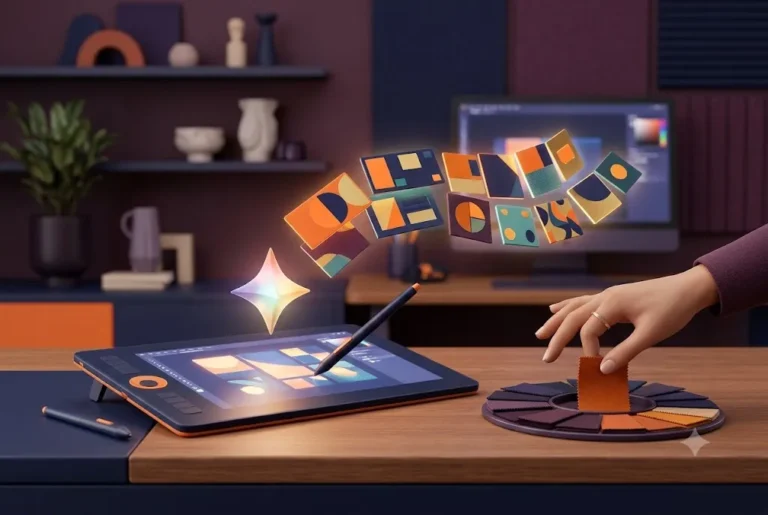
Every tool a designer opens now has an AI button, and every client has heard that a logo takes thirty seconds. In October 2026 the useful question is narrower: which parts of AI in graphic design improve a studio's workflow, and which create risk for your brand?
This guide covers the main tools, a practical workflow, the copyright position and the work that still needs a person. Related reading: how to brief a graphic designer, graphic design company in India and social media creative design tips.
Where AI in graphic design stands in late 2026
Not long ago many designers dismissed image generators as toys. Today AI in graphic design sits inside the tools they already open every morning: background removal and generative fill in Photoshop, text-to-image in Canva, prompt-based layouts in Figma, and standalone generators such as Midjourney. For a studio, the question is no longer whether to touch these tools. It is which jobs they speed up and which they quietly damage.
The honest summary is this. AI is very good at producing options, cleaning up photos and removing repetitive work. It is weak at consistency, strategy, exact text, and anything that must match a brand system down to the pixel. A studio that treats it as a fast junior assistant gets value. A business that treats it as a replacement for a designer usually ends up with generic output and a legal question mark.
What follows combines common studio practice with the public copyright position. Where a detail depends on a plan, a region or a rollout, we say so and point you to the vendor's current page.
The main tools and what each is actually good for
| Tool | Best use | Watch out for |
|---|---|---|
| Canva AI | Quick social posts, simple edits, resizing by non-designers | Template look; limited control over brand detail |
| Adobe Firefly and Photoshop | Generative fill, extending backgrounds, retouching, mockup images | Credits and plan limits; check terms for client work |
| Midjourney | Concept art, mood boards, illustration directions | Terms vary by plan and company size; no exact text |
| Figma AI | Layer renaming, search, first-draft layouts and prototypes | Features and credits differ by plan and region |
Feature names and plans change often, so check each vendor's pricing and terms page before you commit a client project to a tool. Reviews written even six months ago may already be out of date.
A sensible setup uses two or three tools, not ten. One for photo editing and retouching, one for ideation, and the design tool the team already uses for production.
Seven places where AI genuinely saves time
- Mood boards and early concepts. Generating twenty visual directions in an hour helps a client point at what they like. The images are for discussion, not delivery.
- Background removal and cut-outs. Product photography clean-up that took ten minutes now takes seconds.
- Extending and repairing images. Generative fill can extend a canvas for a banner crop or remove a stray object from a photo.
- Resizing for formats. One approved creative can become Story, feed, banner and print sizes faster. See our social media post sizes guide for the targets.
- Copy variations. Headline options for A/B tests, always edited by a human.
- Mockups. Placing a logo on packaging, a signboard or a wall in a believable scene.
- File admin. Auto-naming layers, searching asset libraries, and tagging images.
Notice what is missing from that list: the thinking. Positioning, tone, hierarchy and the decision about what to leave out stay with people.
Where it falls short, and why designers still catch the problems
- Text inside images. Generators often garble letters, and Hindi or other Indian scripts deserve extra suspicion. Always set type yourself in the design tool.
- Hands, product details, fine print. A product photo with an altered label or logo is a misleading image. Never use generated pictures to show what a physical product looks like.
- Consistency. Ask for the same character or style across ten posts and you will get ten cousins, not siblings.
- Print readiness. Generated files are often too low in resolution for large print and arrive in RGB. Bleed, CMYK and vector needs still require proper preparation. Our print file preparation guide explains the checks.
- Logos. An AI logo is a picture, not a system. It has no vector master, no clear space rules and usually no distinctiveness. See logo design tips for small business and our view in logo design trends 2027.
Want AI speed without the brand risk? Ragnar Studio's builds brand templates and creatives that your team can reuse safely. See our graphic design service or check pricing.
Copyright and ownership: what AI in graphic design means for your rights
This is the question clients ask most, and the answer is more cautious than the marketing. The US Copyright Office's January 2025 report on copyrightability concluded that, with current technology, prompts alone do not give a user enough control to be the author of the output. Material generated purely by AI is not protected by copyright in the US, while a human who uses AI as a tool to shape their own creative expression can still claim protection for the human-authored parts. You can read the office's material on the Copyright Office AI page.
For a brand, three practical points follow:
- A logo or mascot produced mostly by a prompt may be hard to protect if a competitor copies it.
- Heavily edited, hand-composed work stands on firmer ground than a raw generation.
- Rules differ by country. Indian law has its own position, so for a trademark or an important identity ask a qualified IP professional rather than relying on a blog, including ours.
This is general information, not legal advice. When the asset is the face of the company, use human-made, human-owned work. Our guide to brand identity vs logo shows why.
Training data, licences and "commercially safe" claims
Two separate questions get mixed up. The first is whether the tool was trained on content it was allowed to use. The second is whether the terms let you use the output commercially. Adobe markets Firefly as commercially safe, and some vendors offer indemnification on certain business plans, though what is covered depends on the plan, so read the current terms. Midjourney's terms, according to third-party summaries, allow commercial use on paid plans and add requirements for larger companies, so check the official terms page for your situation.
A short checklist before using any generated asset in client work:
- Is your plan one that allows commercial use?
- Does the vendor offer any protection if a claim arises, and is it on your plan?
- Does the image resemble a living artist's style, a known character or a real person? If yes, do not use it.
- Have you recorded the tool, date and prompt in the project file?
Brand consistency: the real cost of unmanaged AI
Brand work lives on repetition. The same colours, type, spacing and tone must appear in every post, brochure and banner. Generators do not know your brand. They drift to a popular visual average: glossy gradients, overly smooth faces, the same orange and teal.
To keep control, studios use a few rules:
- Write a short brand guidelines page that covers colour values, type, logo use and photo style, and hold every generated image against it.
- Use AI for the background or texture and place real brand elements on top: your logo, your fonts, your product photos.
- Fix a small set of approved visual styles and reuse the same references.
- Colour-correct every generated image to match brand palette values. See how to choose brand colours and fonts.
If an audience can recognise your brand with the logo covered, the system is working. If they cannot, too much of your visual identity is being left to the model.
A studio workflow that uses AI without losing quality
- Brief first. A clear brief matters more with AI, not less. Our guide on how to brief a graphic designer lists what to include.
- Explore with generators. Produce rough directions and mood boards. Label them as references.
- Choose and rebuild. The designer redraws, sets real type, and builds the final layout in the production tool.
- Retouch with assistance. Use generative fill and cut-outs for photo tasks, checking edges at 100%.
- Check against the brand. Colour, type, tone and spacing against guidelines.
- Review for risk. Likeness, trademarks, misleading product depictions, and cultural sensitivity.
- Export properly. RGB for screen, CMYK and bleed for print, SVG for logos.
- Record and disclose. Keep notes of what was AI-assisted so you can answer a client's question honestly.
What still needs a human designer
Some work does not shrink to a prompt. A human designer decides what the brand should feel like, which of ten good ideas fits this customer, how a page should be read, and what a Diwali greeting for a Dehradun jeweller should look like versus one for a Mumbai startup. They also notice cultural problems, awkward Hindi typography and unintended meanings that a model cannot see.
- Brand strategy and identity systems
- Logo design with a vector master and usage rules
- Typography, especially Devanagari and mixed-script layouts
- Print production and quality control
- Accountability: someone who stands behind the work
This is also why the debate about Canva vs a professional designer has not gone away. The tools got better, and so did the expectations.
Should a small business use AI in graphic design itself?
Yes, for the right jobs. A founder can sensibly use AI for internal slides, draft social ideas, a quick background cleanup or a mood board to share with a designer. The risk grows with visibility and permanence.
| Job | AI-assisted DIY? | Suggested route |
|---|---|---|
| Internal presentation | Yes | Canva AI or similar |
| Weekly social posts | Yes, with brand templates | Template set made by a designer |
| Logo and identity | No | Human-led design |
| Packaging and print | Concepts only | Professional production |
A good middle path is to invest once in a proper template set and brand rules, then let your team use AI inside those limits. Our social media creatives work is built that way, and the Instagram carousel design guide shows what a reusable template looks like.
Disclosure, ethics and client trust
Clients increasingly ask whether AI was used on their project. Answer plainly. Say which steps used assistance, which were hand made, and who checked the result. Some platforms and publishers also have their own labelling rules for AI imagery, so check the destination before publishing an ad or a book cover.
Avoid passing off generated work as photography, using the likeness of real people without permission, or creating fake testimonials and product photos. Those are not design shortcuts, they are trust problems that surface later.
Frequently asked questions
How is AI used in graphic design today?
Studios mainly use it for mood boards, background removal, generative fill, resizing and mockups. Final layouts, typography and brand decisions are still done by designers in tools such as Photoshop, Illustrator and Figma.
Can AI replace a graphic designer?
Not for brand work. AI in graphic design produces options quickly, but it does not understand your market, keep a brand system consistent or take responsibility for print and legal details. It changes the designer's workflow more than it removes the role.
Is AI-generated artwork copyrighted?
In the US, the Copyright Office has said that prompts alone are not enough for authorship and purely AI-generated material is not protected, while human-authored contributions can be. Rules differ elsewhere, so seek professional advice for important brand assets.
Can I use Midjourney or Firefly images for client work?
Often yes on paid plans, but terms differ by tool, plan and company size. Check the vendor's current terms, and avoid outputs that resemble real people, artists or trademarks.
Is Canva AI good enough for business design?
It is good for quick social posts, presentations and simple edits. For logos, packaging and campaigns that must match brand rules, a designer-built template system works better than raw generation. See Canva vs a professional designer.
Should I make my logo with AI?
We advise against it. A logo needs a vector master, usage rules and distinctiveness, and an AI-generated mark may be hard to protect. Use AI only to explore ideas, then have a designer draw the final version.
How do I keep brand consistency when using AI in graphic design?
Write brand guidelines, use real logos, fonts and product photos on top of generated backgrounds, and review every image against your palette and style. Keep a short list of approved visual references.
Does Ragnar Studio's use AI in graphic design?
Every final design we deliver is built and checked by a person, and we are happy to discuss where AI assistance fits your project. Message us on WhatsApp +91 92865 18510 or see our graphic design service.
Used with judgment, AI in graphic design saves hours on routine work and frees designers for the thinking that makes a brand recognisable. Keep logos and identity human-led, check licences, and set rules before your team generates anything. If you want help setting that up, contact Ragnar Studio's.
Free quote
Tell us about your project
Fill this short form and send it on WhatsApp. We reply with questions or a quote. Nothing is charged on the website.
- Takes about two minutes
- Goes straight to Ragnar Studio's on WhatsApp
- Prefer email? Write to info@ragnarstudio.com
Services that help with this.
Graphic design
Human-led design with sensible use of modern tools.
Explore →Logo design
Original marks with vector masters and usage rules.
Explore →Social media creatives
Reusable template sets for posts and carousels.
Explore →Brand guidelines
Rules that keep every asset on brand, AI-assisted or not.
Explore →More from the blog
Ready to start your project?
Tell us what you need. We reply on WhatsApp with questions, next steps and a quote.