
Home / Blog / Technical SEO Checklist for Small Business Websites
SEO & GrowthTechnical SEO Checklist for Small Business Websites
Technical SEO makes sure Google can find, read and trust your pages. This checklist walks an Indian small business owner through each check in plain language, with no jargon left unexplained.
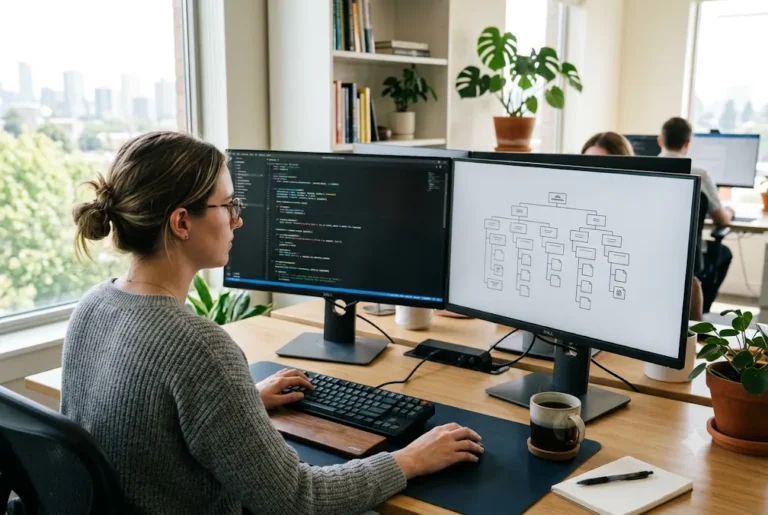
A technical SEO checklist helps you confirm that search engines can crawl, understand and index your website, and that visitors get a fast, secure and mobile-friendly experience. Technical SEO does not replace good content, but weak foundations can hold good content back. Work through the checks below in order, fix the serious ones first and keep a record of what you change.
Key takeaways
- Start with crawling and indexing, because a page Google cannot index cannot rank.
- Then check speed, mobile layout and security, which affect every visitor.
- Clean URLs, redirects and canonical tags prevent confusion and duplicate pages.
- Use Google Search Console as your main free source of technical warnings.
What technical SEO means in simple terms
Technical SEO is the behind-the-scenes work that lets search engines access and understand your site. Think of a shop in a market: the best products do not help if the door is locked, the signboard is wrong or the lane is blocked. Technical SEO unlocks the door and fixes the signboard.
It covers how your pages are discovered, how fast they load, how they look on a phone, whether they are secure and how clearly their meaning is labelled. It sits alongside content and links, which are covered in the on-page SEO checklist and the general SEO checklist.
The technical SEO checklist at a glance
Here is the full technical SEO checklist in the order most small sites should work through it. Each item is explained below.
- Confirm the site is crawlable and not blocked.
- Check indexing in Google Search Console.
- Submit and review the XML sitemap.
- Use HTTPS with proper redirects.
- Fix mobile usability.
- Improve page speed and Core Web Vitals.
- Clean up URLs and site structure.
- Fix broken links and redirect chains.
- Set canonical tags and handle duplicates.
- Add structured data where it fits.
- Check images, hreflang needs and error pages.
- Repeat the checks on a schedule.
Crawling and indexing checks
Begin here. Open your robots.txt file by adding /robots.txt to your domain and make sure it does not block important sections. A single wrong line, often left over from the development stage, can hide an entire website. Next, view the source of a few key pages and look for a noindex tag, which tells Google to skip the page. Setting a sensible budget for technical seo checklist early makes every later choice simpler.
Then open Search Console and use the URL Inspection tool on your home page and main service pages. Check that they are indexed and that Google can read them. If pages are missing, follow how to get your website indexed on Google. For a first-time walkthrough of the tool, see the Search Console guide for beginners.
A quick way to spot trouble is to search Google for site:yourdomain.com. The number of results is only a rough guide, but if your key pages are missing, or if odd pages such as test pages, login pages or old drafts appear, you have something to investigate. Also look for pages that Search Console lists as "Crawled, currently not indexed" or "Excluded by noindex", and decide whether each one should really be hidden.
Want this done for you? Ragnar Studio's handles Website SEO Audit. See how it works or get a free quote.
XML sitemap and site structure
An XML sitemap is a list of the pages you want Google to find. Most WordPress and Shopify sites create one automatically. Check that it lists only useful, live pages, not redirected, deleted or noindex pages, and submit it in Search Console.
Also look at structure. Important pages should be reachable within a few clicks from the home page, and every page should be linked from somewhere. Pages with no internal links, often called orphan pages, are hard for Google to discover. Use clear menus and add links between related pages and blogs.
HTTPS and basic security
Your site should load on https, not http, with a valid certificate. Many hosts offer this free, so it is a basic expectation. Test all four versions of your address (http, https, with and without www) and make sure they redirect to one preferred version with a permanent 301 redirect. When you look at technical seo checklist, compare scope and clarity first and price second.
Also check for mixed content, where an https page loads images or scripts over http, which can trigger browser warnings. Keep your CMS, themes and plugins updated and read our website security checklist for the wider picture. A hacked or warning-flagged site loses visitor trust fast.
Mobile usability checks
Most Indian visitors browse on phones, often on mobile data, so Google mainly looks at the mobile version of your pages. Open your site on a real phone and test it by hand.
- Text should be readable without zooming.
- Buttons and links should be easy to tap and not too close together.
- Nothing should require sideways scrolling.
- Pop-ups should not cover the whole screen and block the content.
- Content on mobile should match the desktop version, not be hidden or cut.
Page speed and Core Web Vitals
Core Web Vitals are Google's measures of loading speed, how quickly a page responds to taps and how stable the layout stays while loading. You can check them with free tools such as PageSpeed Insights and the Core Web Vitals report in Search Console. Aim to improve the worst pages first, not chase a perfect score. Deadlines around technical seo checklist work best when they include buffer time for feedback and changes.
Test on a mid-range phone and a slower connection, because that is closer to what many of your customers use than a fast office laptop. Test your home page, your main service or category page and one blog, since these three often show different problems. Write down the scores before you change anything, so you can see whether each fix helped.
Common fixes include compressing and resizing images, using modern formats, removing unused plugins, enabling caching, choosing decent hosting and avoiding heavy sliders and auto-playing video. Our website speed optimization tips go through each fix, and a weak server may need a better plan, as explained in how to choose web hosting in India.
URLs, redirects and broken links
Good URLs are short, readable and lower case, for example /dental-implants/ rather than /page?id=482. Avoid changing URLs without a reason. If you must, use a 301 redirect from the old address to the new one so visitors and Google land on the right page.
Next, scan for broken links that lead to 404 error pages and for redirect chains, where one redirect leads to another and then another. Both waste crawling effort and frustrate visitors. Free crawlers and the Search Console reports can list these. Create a helpful 404 page that links back to your main sections.
Canonical tags and duplicate content
Sometimes the same content is available at several addresses, such as with tracking parameters, filters or print versions. A canonical tag tells Google which version is the main one. Ecommerce stores need this most, since filters and sorting can create hundreds of near-identical URLs. Share your references for technical seo checklist, including things you like and things you want to avoid.
Check that each important page has a canonical pointing to itself, and that duplicate or thin pages are either merged, redirected or marked noindex. This is especially important for online stores, as explained in our ecommerce SEO guide for Indian online stores.
Structured data and rich results
Structured data, often called schema markup, is code that labels your content so Google understands it, for example your business details, products, reviews or FAQs. It can make some results more informative, although Google decides whether to show them and nothing is guaranteed.
Start simple. Add LocalBusiness or Organization details to your home page, Product details on product pages and Article details on blogs. Only mark up information that is visible on the page and true. For a clinic, restaurant or shop with a physical location, make sure the name, address and phone number in the markup match your Google Business Profile exactly, since mismatches create confusion. You can test the code with Google's Rich Results Test, and fix any errors Search Console reports.
Images, language and other checks
- Image alt text: describe images briefly so they are accessible and understood.
- Image size: large photos from a phone camera should be resized before upload.
- Language: if you publish Hindi or regional pages, label the page language correctly and use hreflang only when you have genuine language or country versions.
- Titles and descriptions: each page needs a unique title and meta description.
- Pagination and filters: make sure important products are not hidden deep behind many pages.
- Error pages: deleted pages should return a proper 404 or 410 status, and moved pages should return a 301, rather than showing an error message with a normal status.
For a small site, you can complete most of these checks in an afternoon with free tools: Search Console, PageSpeed Insights, the Rich Results Test and a free crawler. Keep the results in one simple sheet with three columns: the issue, the page and the status. That sheet becomes your to-do list and your proof of progress.
How often to repeat the checks, and a summary
Run a full technical SEO checklist when you launch, after any redesign or migration, and then every three to six months. Check Search Console for warnings monthly, because new problems appear whenever plugins, themes or content change. Our website launch checklist is helpful before going live.
A deeper review by a professional can catch problems that free tools miss. See our website SEO audit services, and for wider planning, the complete SEO guide for small businesses in India.
Technical SEO is about removing barriers: let Google crawl and index your pages, serve a fast and secure mobile site, keep URLs and redirects tidy, avoid duplicates and label content clearly. Work through the checklist in order, fix the most serious problems first and recheck regularly. Results still depend on competition, content and time, and no checklist can guarantee rankings.
Frequently asked questions
What is a technical SEO checklist?
It is a step-by-step list of checks that make sure search engines can crawl, index and understand your website, and that visitors get a fast, secure and mobile-friendly experience. It covers items such as robots.txt, sitemaps, HTTPS, page speed, redirects, canonical tags and structured data. A clear brief is the single best investment you can make before starting with technical seo checklist.
Can I do technical SEO myself without a developer?
Many checks are possible without coding, such as testing your site on a phone, reviewing Search Console reports and submitting a sitemap. Some fixes, like server speed, redirects and schema, may need a developer or a plugin. Start with the free tools and ask for help when a fix goes beyond your comfort.
Which technical SEO problem should I fix first?
Fix anything that stops indexing first, such as a wrong robots.txt rule or a noindex tag on important pages. Then fix HTTPS and redirect problems, mobile usability and slow pages. Cosmetic items like missing alt text can wait until the serious blockers are removed.
How often should I run a technical SEO checklist?
Run it fully at launch, after any redesign or migration, and then every three to six months. Look at Search Console warnings monthly. Changes to plugins, themes, hosting or large amounts of content can create new technical problems without anyone noticing.
Does page speed really affect SEO?
Speed is one of several signals and it also affects visitors directly, since slow pages make people leave, especially on mobile data. Good speed will not guarantee rankings, but poor speed can hurt both search performance and enquiries, so it is worth improving the slowest important pages.
Is structured data necessary for a small business?
It is not required, but it can help Google understand your business, products and content, and may enable richer results. Google decides whether to show them. Add accurate LocalBusiness, Product or Article markup, test it, and never mark up information that is not visible on the page. Start small with technical seo checklist, learn from the first results and then expand what works.
How is technical SEO different from on-page SEO?
Technical SEO deals with how your site works, such as crawling, speed, security and structure. On-page SEO deals with what is on each page, such as titles, headings, content and internal links. Both matter, and weak technical foundations can limit how well good on-page work performs.
When should I get a professional technical SEO audit?
Consider one before a redesign or migration, when traffic drops unexpectedly, when pages will not index, or when you have run the basic checks and still see problems. A professional audit gives a prioritised list of fixes, which you or your developer can then work through.
Not sure what is holding your site back? Ask for a review through our website SEO audit services and we will share a custom quote after understanding your website and requirements.
Free quote
Tell us about your website
Fill this short form and send it on WhatsApp. We reply with questions or a quote. Nothing is charged on the website.
- Takes about two minutes
- Goes straight to Ragnar Studio's on WhatsApp
- Prefer email? Write to info@ragnarstudio.com
Ready to start your project?
Tell us what you need. We reply on WhatsApp with questions, next steps and a quote.